Say, on this home page. https://lincolnveteransparade.org/. We have two images. One is for volunteering and the other is for sponsoring. I would like to put a little space between the two images. Any suggestion?
Hello @rkassebaum,
Thanks for writing in!
Please inspect Section > Row and under Setup turn off Marginless Columns and that will have spacing between two images.
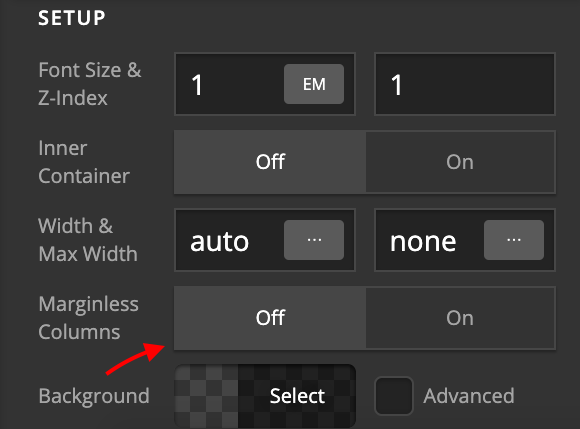
Thanks.
I did that and it did put space between the two images. Is there a way however, to decrease the amount of space between the images. It’s to much space?
Hello @rkassebaum,
Please inspect the ROW again. Go to Customize Tab > Element CSS. Add this:
$el .x-column{
  width: 49%;
}
$el .x-column:first-of-type{
  margin-right: 2%;
}
Default width of the column is 48%. And space between the columns is 4%. Above code will increase column width by 1% percent each and we reduce space to 2%.
- Intro to CSS - https://goo.gl/mFuWQT
- How to get CSS selectors - https://goo.gl/BmoH39
- Get Started With Viewing And Changing CSS - https://goo.gl/7xFhDa
Hope this helps.
That did work. I would like to get it a bit closer yet. Can you send me the updated css? I would say half of what you currently have.
Hello @rkassebaum,
Note that entire row is always 100%.
So if we will decrease margin with 1% we need to add it to column width:
$el .x-column{
  width: 49.5%;
}
$el .x-column:first-of-type{
  margin-right: 1%;
}
Hope this helps.
This topic was automatically closed 10 days after the last reply. New replies are no longer allowed.