I cannot find the option in the new version 8 to increase the space between menu items on my left fixed menu.
Hello Keiron,
Thanks for writing to us.
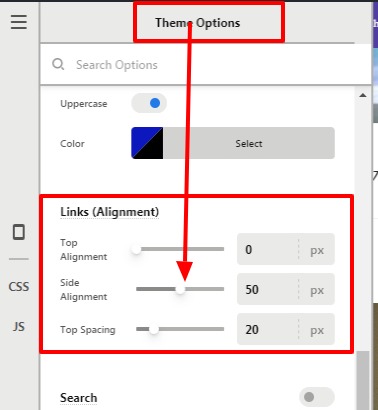
To add the space between menu items, go to X—>Theme Option —>Header–>Scroll down to Link(Alignment)—>Side Alignment.
Please have a look at the screenshot below.
Hope it helps
Thanks
This topic was automatically closed 10 days after the last reply. New replies are no longer allowed.