Hi. Thanks for your help before.
How can I make the space between the top menu and the page smaller?
This is the page: https://www.adventuresincaring.org
Or see here:

Thanks much…
Bent.
Hi. Thanks for your help before.
How can I make the space between the top menu and the page smaller?
This is the page: https://www.adventuresincaring.org
Or see here:
Thanks much…
Bent.
Hi Bent,
Please find this code and remove
.x-main.full {

    margin-top: 100px !important;
}
If you can´t find please go to Theme Options CSS and add
.x-main.full {

    margin-top: 0px !important;
}
Hope it helps!
Went to Customizer, did not find it under Global CSS.
Where exactly is “Theme Options CSS”?
Hi @VisionEars,
After lauching the theme,
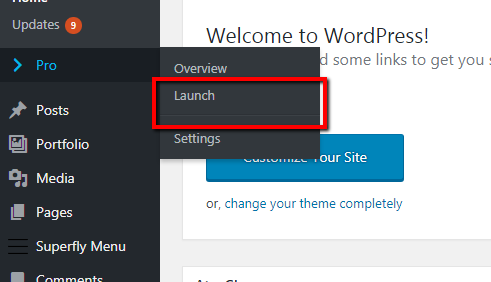
You can check the CSS in your Theme options. Check the image below for guide where it is located.
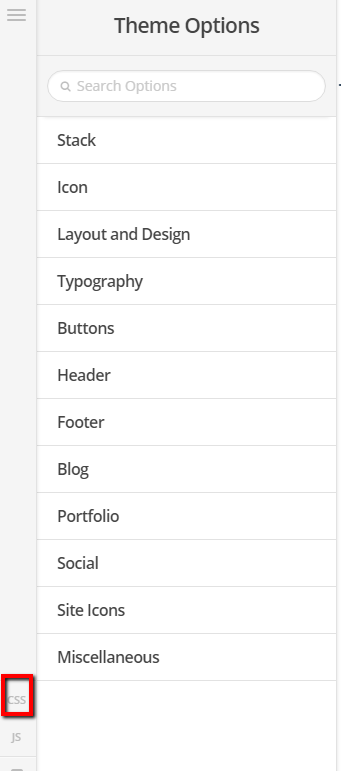
Let us know how it goes.
Thanks. 