Hi,
Could you provide CSS to create more space between the heading and bullet list?
Many thanks,
Gemma
Hi,
Could you provide CSS to create more space between the heading and bullet list?
Many thanks,
Gemma
Hi Gemma,
Thanks for reaching out!
To add a space between the heading and the bullet. Please add the code below in your X > Theme Options > CSS.
.x-text ul li {
    padding-left: 15px;
}
Just change the value 15px with your desire space and please note that custom CSS code is outside the scope of our support. Issues that might arise from the use of custom CSS code and further enhancements should be directed to a third-party developer or you can avail One where we can answer questions outside of the features of our theme.
Hope that helps.
Thank you.
Thank you.
It doesn’t appear to be making any difference, unforuantely.
Here’s 25px
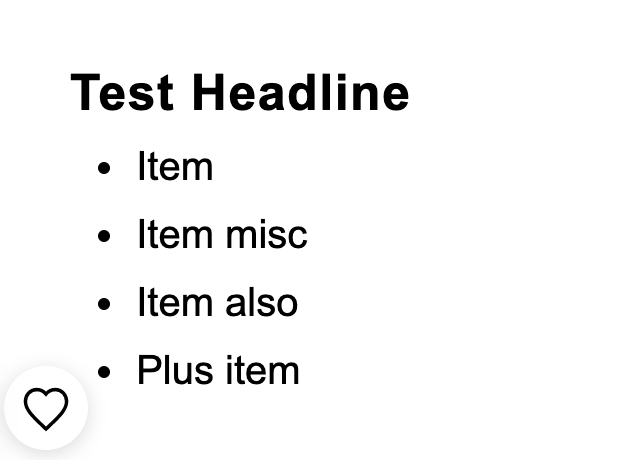
Here’s 125px (exaggerated size to show no change)
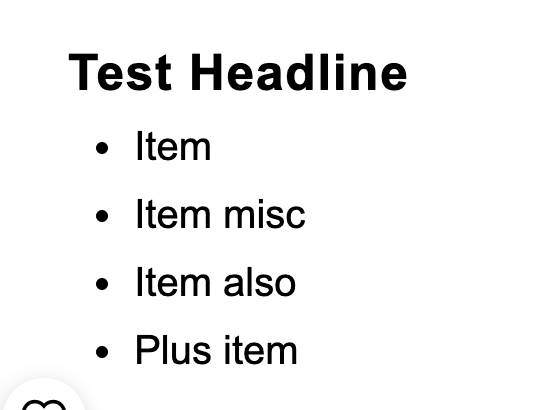
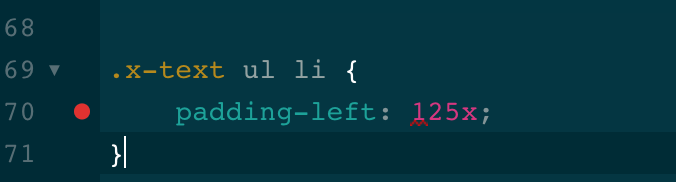
Same spacing between headling and list. Copied and pased code:
Thanks!
Hi Gemma,
I have added the code through the browser debugger console, and it works as expected. Can you please check by adding the CSS code into Theme Options > CSS?
If that is not the case, and you have already added the code and it is not working, please provide login credentials for your site in a secure note to examine it further, including:
– WordPress Site URL & Login URL
– Specific page URL where you are having this issue
– WordPress Admin username/password
To create a secure note, click the key icon underneath any of your posts.
Thanks
Here’s a video run through:
I personally don’t see any difference in spacing between the heading and list.
Thanks!
Gemma
Hello Gemma,
The given code:
.x-text ul li {
    padding-left: 15px;
}
This will only work for list items added in a text element when you are using the Cornerstone builder. The code will not affect your example post because you have inserted the list items using the WP Editor. If you want to apply it to the post content while using the WP Editor, you will have to update the CSS code and use this:
.x-text ul li,
.entry-content ul li {
    padding-left: 15px;
}
Please note that the code provided above serves as a guide only and is to help you in getting started so implementing it and maintaining the code will be out of our support scope and for further maintenance for new possible versions of the theme that may cause the customization to break, you will need to hire a developer.
Feel free to make adjustment as you need. Here are some related links for further reading, this could help you in finding and implementing some CSS fixes:
Intro to CSS - https://goo.gl/mFuWQT
How to get CSS selectors - https://goo.gl/BmoH39
Get Started With Viewing And Changing CSS - https://goo.gl/7xFhDa
This topic was automatically closed 10 days after the last reply. New replies are no longer allowed.

