Source Code when using hidden-phone

Hi,

when I use the code [visibility type=“hidden-phone”] in my post the part will not be shown on mobile devices. For example:

[visibility type="hidden-phone"] Source of the image [visibility]

But is it possible that the image is still visible in the source code?

I have the problem that I want to exclude a large picture for mobile devices - but for Google PageSpeed the image is still visible in the mobile device analysis tab.

Michael
Hello Michael,

Thanks for writing in!

Please be advised that the shortcode: [visibility type="hidden-phone"] Source of the image [visibility] will visually hide the image in a specific device screen size. Still, the image is in the page loaded which is why Google PageSpeed is seeing the image. It should not be displayed though unless the Google PageSpeed disables the custom styling CSS of the page.

Hope this helps.

That´s the problem. Because this all “costs” speed. The image is loaded for mobile - even though it’s not even being displayed.

Is there a any possibility to hide things from the source code in mobile view?

Hi @michaelxxx,

Unfortunately, there is no option in our theme where we could remove elements in the page source. But if you are a techy guy, I would suggest using the remove function in jQuery, this function will totally remove elements but If you are not familiar about it, you may seek help for a 3rd party developer.

Sample on how to remove elements in mobile
Remove function in jQuery

I hope it will help you.

Thank you.

Ok, thank you. I will try that.

So I have to put the content I want to exclude mobile into a div container, e.g. div id=“mobile” and then use jQuery to exclude this div container, right?

Where can I insert the jQuery into X? In my functions.php or in another place?

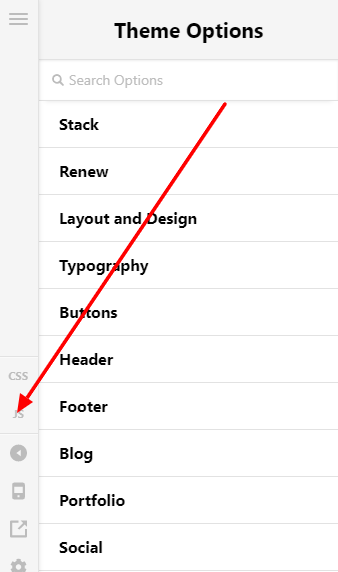
Yes, that’s right, to add the jQuery code go to X > Theme Options then JS.

Thank you.

hmm…

I put some code between the div container id=“hidemobile” and added the jQuery code to X > Theme Options then JS.

You can see it in the screenshot.

The code from the first red div to the closing div should not be shown in the source code when you open the site on mobile. But I think the image “…flugzeug.jpg” (which is inside the code) is still loaded in the source code.

My site: https://one-million-places.com

Did I do something wrong?

Hey @michaelxxx,

I’m sorry but we cannot provide help for 3rd party codes. We have previously mentioned that:

Please consult with a developer to continue using the 3rd party codes.

Or, you can avail of our One service where we answer 3rd party tech questions. You can check out One here: https://theme.co/one

Thank you for understanding.

This topic was automatically closed 10 days after the last reply. New replies are no longer allowed.