Something wrong with columns

Hi,

I just updated to Pro 3.0.1, but when creating a new section with a row and as an example - 2 columns, it shows the 2 columns fine in the editor (Pro), but not when looking at in a normal browser. Then the columns go below each other…

Look at the image from Pro, and below is the link to the portfolio page.
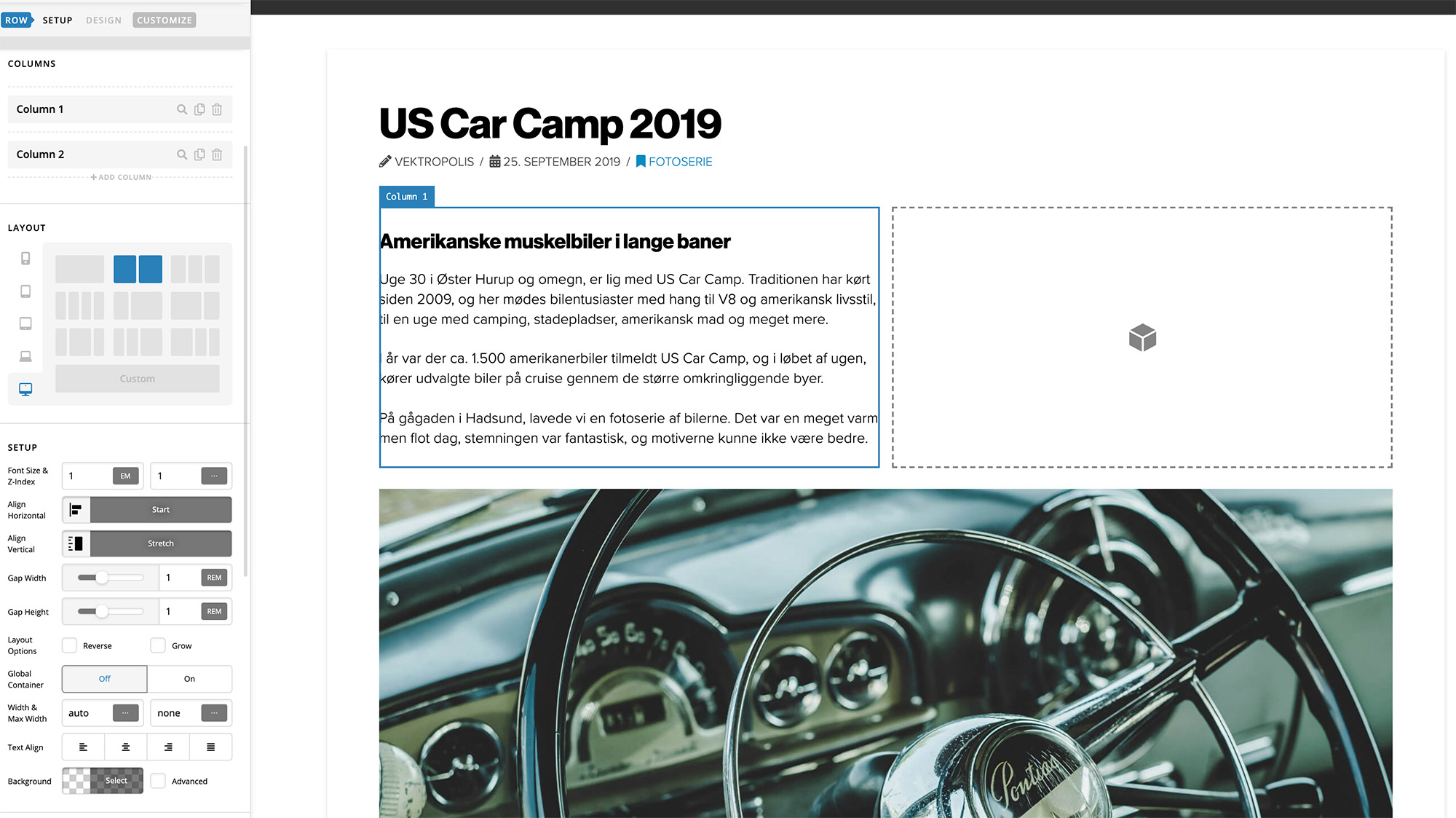
Portfolio page

Hi @Kobber,

I’ve taken a look, and some of the base CSS rules are missing. I see you’re using a CSS minification system. Could you try disabling that temporarily? It looks like it may be holding onto the styles from the previous version instead of the current version.

That worked. It was W3 Total Cache, but now I can’t activate it again. Isn’t it compatible after the update?

Hello @Kobber,

Of course, you can. When you enable the plugin again, you must clear the cache and regenerate the minified CSS and JS files so that the latest version will be cached and minified by the plugin.

Hope this helps.

This topic was automatically closed 10 days after the last reply. New replies are no longer allowed.