Some Images not showing after update

Hi, I have the latest version of X on my website www.keepcalmandtravel.com
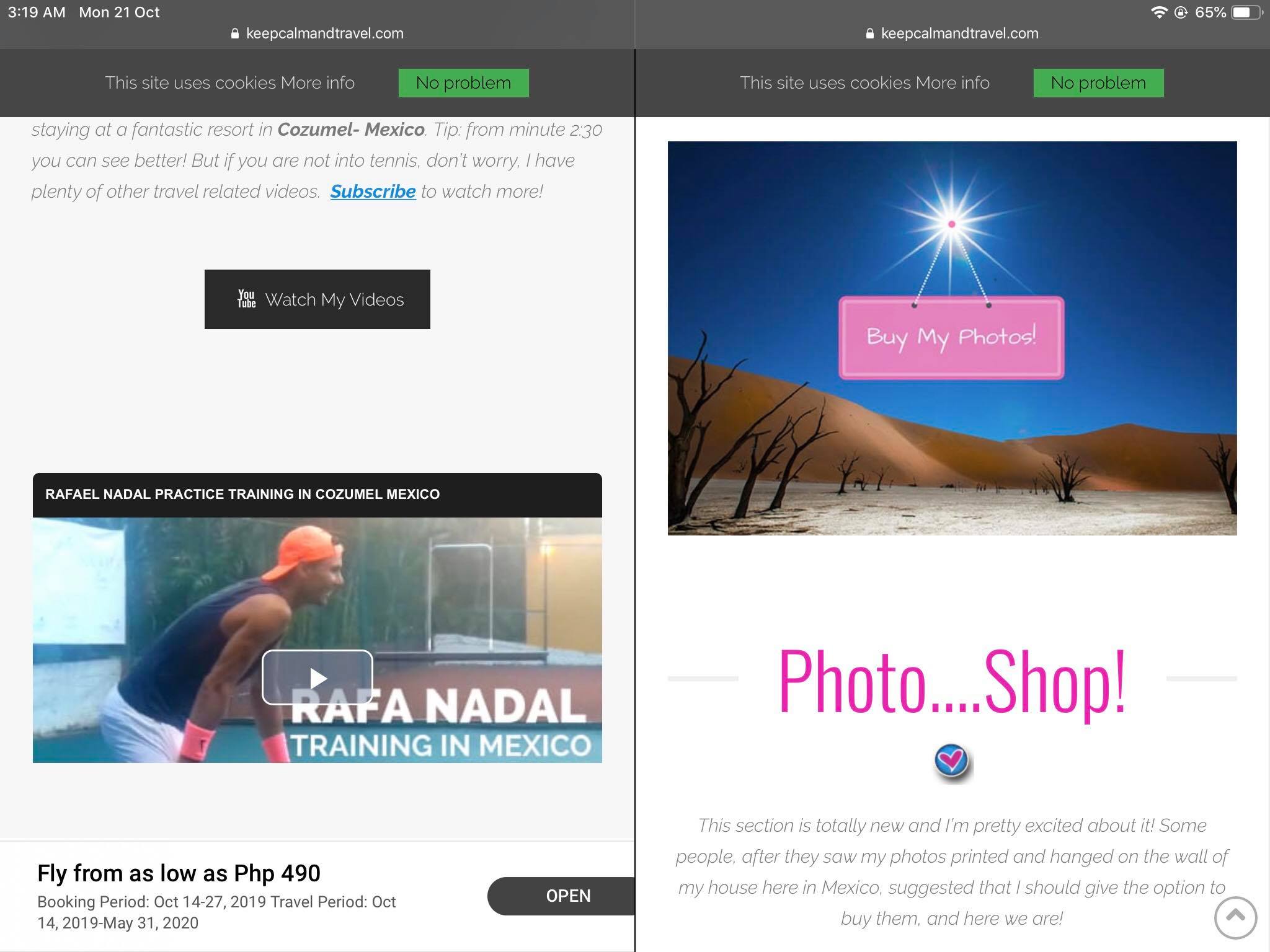
I also updated the latest WordPress yesterday and I am now realizing that some of the images ON MOBILE are not showing (on the home page they all disappeared and in other articles, some of them did disappear and some didn’t).

Today I also removed some content blocks then I did a restore backup from before the edits and on laptop I can see the blocks I deleted but not on moble anymore.

Can you please help? I talked to my hosting provider and on their side everything is working.

I cleared the caches etc…
Thanks

Hi @Clelia,

Thanks for reaching out.

I checked and compared my desktop view and mobile view, and the images being displayed are the same. It’s just too slow on mobile. Have you tried clearing your mobile browser’s cache?

In case I just missed the image you’re referring then please provide screenshot from desktop and mobile of your end.

Thanks!

Hi, I checked again and it’s not slow, it simply won’t load the images and also if you notice, in the mobile version this part is missing (end of the page)

(I edited the page and removed it but i restored it using the backup)

I cleared all the caches, asked my hosting provider to check and they assure me all the caches were cleared and they couldn’t see any image and they were also missing the 2 blocks I re-added with the backup (that has certainly nothing to do with the site being slow for sure).

Hi @Clelia,

Hhmm, I see that part on my mobile.

And may I know which blocks? Perhaps you can demonstrate the issue with video recording. And please provide your admin login credentials in the secure note so I could check any data discrepancy by comparing builder content and mobile view. Or are they missing from the builder as well?

Thanks!

This topic was automatically closed 10 days after the last reply. New replies are no longer allowed.