Info
- Website: http://Mrunal.org
- Latest x-theme, cornerstone are installed.
- Cache: godaddy’s inbuilt cache mechnism and cloudflare’s CDN system.
- No separate plugin for cache / auto-optimizing the css is being used. (in past I had used but now I disabled it an refreshed cache multiple times)
Problem#1
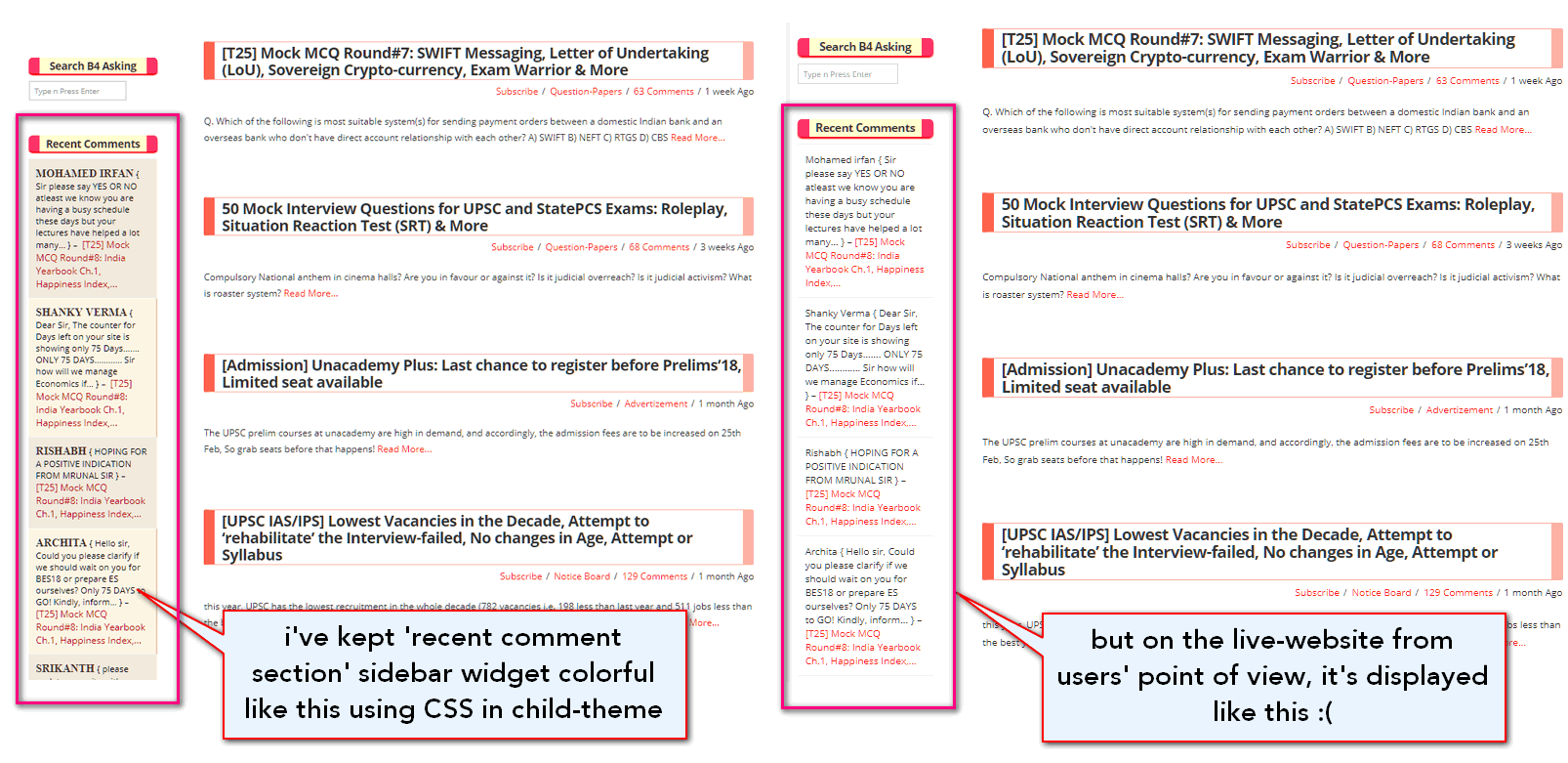
- Some of the css design elements that I’ve written in the child-theme are displayed when I login as admin, but If I see website as user, then it’s not displayed. See the screenshot to understand:
- In above screenshot, the recent comments widget on the left hand side, is supposed to use a css class “.bwp-rc-ulist” from the child-theme to make it show in colorful manner. But this is happening only when admin sees the site in his browser, but it’s not shown in users’ browsers.
- See this screen:
Problem#2:
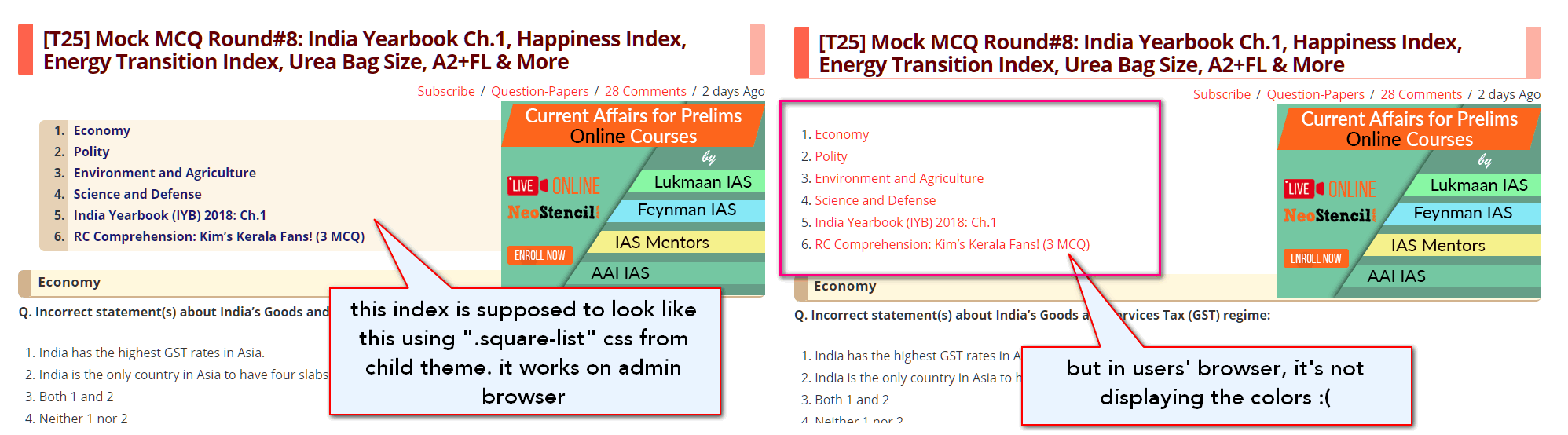
- Similarly, every article’s introductory part has wikipedia like ‘index’ to individual sub-headings. This is also supposed to show in creamy color using “.square-list” css-element from the child-theme, but here also- this work in admin’s browser but not in readers’ browser.
- See this screen:
Solution tried:
-
I’ve already tried things like purging the cache in godday and in cloudflare. no help.
-
I also checked whether browser is loading the said child-theme CSS or not in the user-browsers? The answer is yes:
http://mrunal.org/wp-content/themes/x-child-REN17/style.css?ver=6.0.4 -
and within that child-css, it also mentions above elements, so I’m confused why it’s not working !?

Please help, thanks in advance.
