Hello,
I have updated my site but the soliloquy carousel displays my products as too small: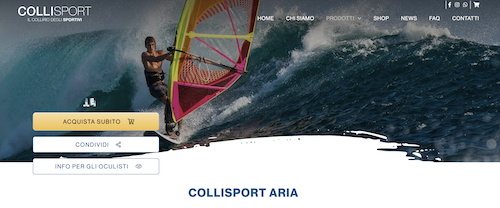
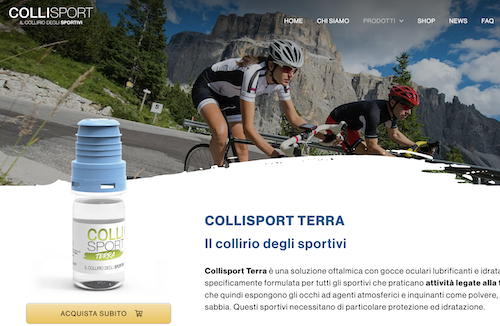
it should look like this:
Hi Giuseppe,
Thanks for reaching out.
I have checked your staging site and found that the inner page image is loading at the proper size. I have compared it with your live site, and it looks identical. If you are still seeing the smaller image, a cache might be the issue behind it.
I would suggest you check once by clearing all types of cache including the System Cache from Cornerstone > Settings > System > Clear System Cache and check in the incognito/private mode of the browser.

Hope it helps.
Thanks
Hello,
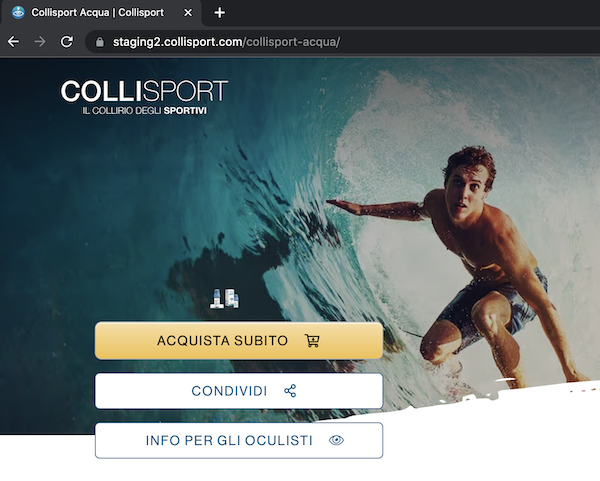
thanks for your help, however I still see it like this:
Hi Giuseppe,
I have tested it again on multiple devices and in different networks but didn’t find the issue you are seeing here. Can you please mention the device, browser name and version, and also the operating system you are using, that helps us to replicate the issue at our end?
I would also request you check in any other computer in different networks. If found that the issue only exists on your computer, I suggest you consult with a local developer who can inspect and investigate the issue specifically on your machine.
Thanks
This topic was automatically closed 10 days after the last reply. New replies are no longer allowed.