Does not show in the admin area on the page after upgrade - shows ok on front end
Hello Eileen,
Thanks for posting in! The Soliliquoy should display on the left side panel in your WordPress admin area.
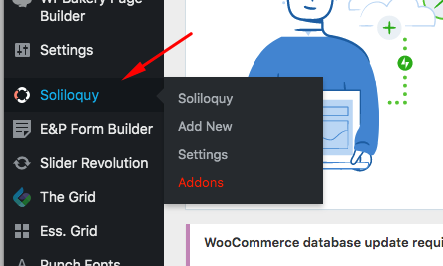
Could you please update to the latest versions?
Our latest versions are:
- Pro theme 3.0.4 or
- X theme 7.0.4
- Cornerstone 4.0.4
This latest release contains fixes for several issues so be sure to check out the changelog (http://theme.co/changelog/).
After doing the updates, always remember to clear all caches (if you are using WP Rocket, WP SuperCache or W3 Total Cache) when updating so that the code from the latest release is always in use. This will help you to avoid any potential errors.
Please let us know how it goes.
Hi Sorry Rue I think I did not explain properly.
The plugin comes up and words just fine BUT the actual slider has stopped showing on the page and I just get a blank space. Prior to the update it showed the actual slider in place.
All updates are done and all cache cleared.
Please see attached image.
Many thanks.
Hi Eileen,
Do you mean the preview in the builder is blank? It’s normal as we intentionally disable the preview of plugins that could cause conflicts in the preview. It’s been like that even on revolution slider, the grid, and so on.
Thanks!
This topic was automatically closed 10 days after the last reply. New replies are no longer allowed.