Social Sharing Button Code in functions.php Not Working

I’ve added the code I found on the support forums for adding social sharing buttons to the bottom of blog posts, but it isn’t showing up for me. It’s at the bottom of my functions.php in my child theme folder. I’m pretty sure I got it to work a few months ago, but now I can’t make it work on either my regular site nor my dev site, so I’m not sure what I’m doing incorrectly and would appreciate guidance. I have added the shortcode for the sharing buttons to my most recent blog posts in the meantime, so you’ll see that showing up.

This is the code I’ve added:

function x_add_social_sharing ( $content ) {
	if ( is_singular('post') ) {
		echo do_shortcode('[x_share title="Share this Post" facebook="true" twitter="true" google_plus="true" linkedin="true" pinterest="true" reddit="true" email="true"]');
	}
}
add_action('x_before_the_content_end', 'x_add_social_sharing');

The code is on both http://schoolencasa.com and http://dev.schoolencasa.com.

Thanks for your assistance!

Hello @schoolencasa,

Thanks for asking. :slight_smile:

I can see social sharing icons on the bottom section of blog post. Please see screenshot. https://cloudup.com/ccR-tegNiZL

I suggest you to please clear cache and try loading website again.

Thanks.

Yes, I mentioned that I had manually added the social sharing shortcode to the most recent blog posts. If the functions.php code were working, you should see a duplicate at the end of that post. And if you check the entry titled “Instagram” you will see that there are no sharing buttons on it, as I did not manually add the shortcode to it. http://schoolencasa.com/2016/03/07/instagram/

Hi There,

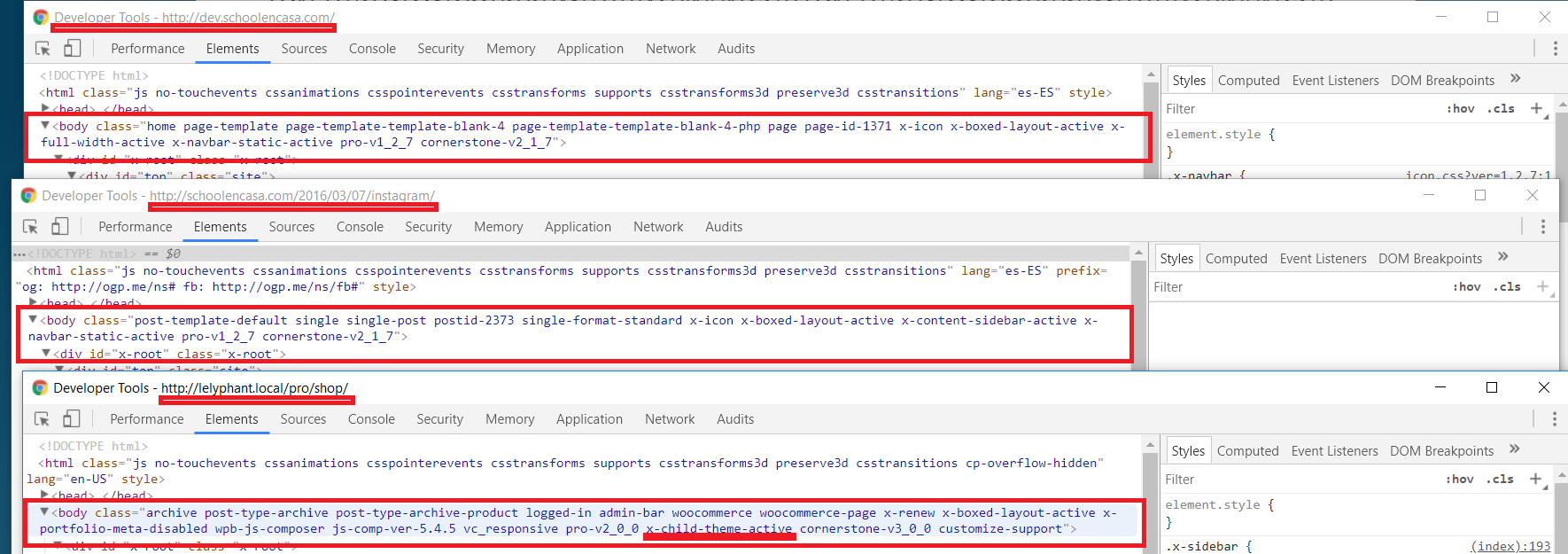
The child theme where the code is added is not active. Go to Appearance > Themes and activate Pro child theme. I can confirm the class x-child-theme-active is missing on the source code of both site.

Hope this helps.

THANK YOU!!! I knew I was missing something. When I upgraded to Pro, I followed all of the instructions about how to change the child theme, but I forgot I also needed to activate it. Issue resolved. Thanks again!!!

Glad it’s okay now and you’re most welcome!

This topic was automatically closed 10 days after the last reply. New replies are no longer allowed.