I’m trying to get my social share buttons to be underneath by product images:
Currently they’re jammed on the left.
Also, I’d like to change the language to say “Share this product” instead of “Share this post”. Is that possible?
I’m trying to get my social share buttons to be underneath by product images:
Currently they’re jammed on the left.
Also, I’d like to change the language to say “Share this product” instead of “Share this post”. Is that possible?
Hello Justin,
Thanks for asking. 
You can add following JS code under Pro > Theme Options > JS to change the position of social icons:
jQuery(function($){

	$( ".x-entry-share" ).insertAfter( $( ".bc-single-product__specifications" ) );

});
To rename the text, please add following JS code under Pro > Theme Options > JS:
jQuery ( function( $ ) {
  $('.x-entry-share p').text("Share this product");
} );

Thanks.
Sadly, neither has taken effect. Can you please advise further?
Hi Justin,
Do the sharing icons implemented as a custom code? The code seems to be portfolio related but added to bigcommerce template so it could be change through the source code that you added.
But if you wish to change it globally, you can go to Theme Options > Portfolio > Labels > SHARE PROJECT TITLE and change it there.
Thanks!
Yes, to get the social icons into the product page I had to add it to the code directly.
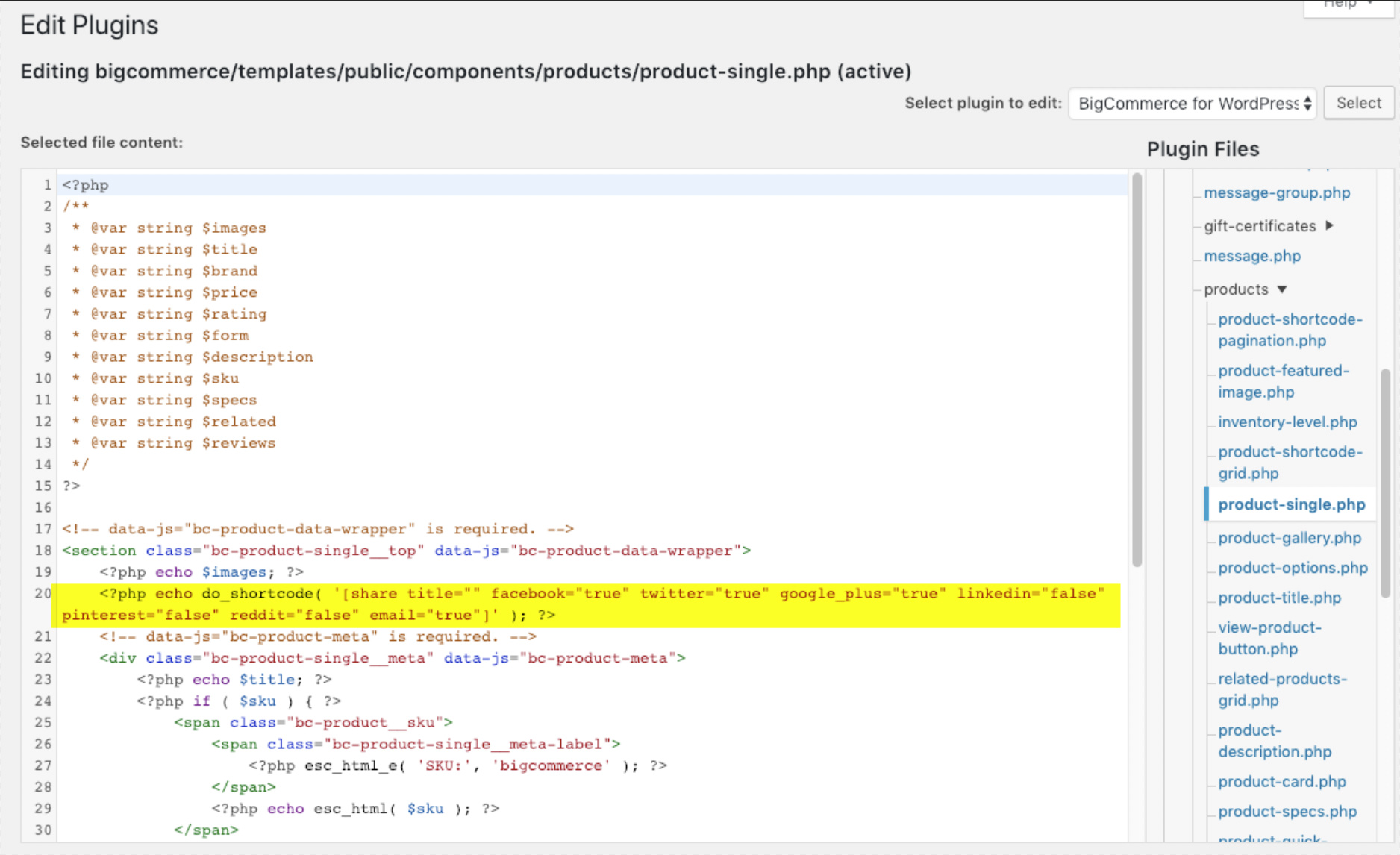
Hi again,
You need to add the shortcode after the products image gallery’s div (see screenshot)
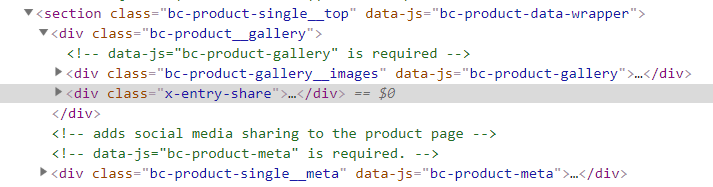
You should see the following layout then:
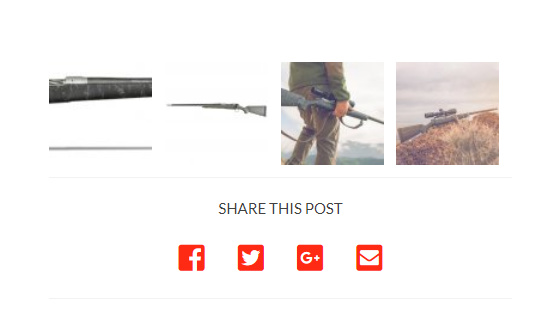
If you’re having trouble finding the code in your plugin you can contact the plugin developers as they will be able to point you in the right direction when it comes to change / alter the plugin’s code.
Thanks!
Thank you. Worked like a charm.
You’re most welcome!
This topic was automatically closed 10 days after the last reply. New replies are no longer allowed.