Social Media Icons disappeared from Header and Footer

Hi,

I have a site that I had another web developer build for me, and he has recently gone inactive.

I am trying to figure out why the Social Media Icons on the Header and Footer are not showing up, even though I added the links in the Theme Options section.

Is there someplace where these bars can be activated and inactivated?

Were the social media bar somehow removed or suppressed?

Please help me figure this out.

Thanks.

Hello @neoinoakleys,

Thanks for asking. :slight_smile:

I see that you have licences for X and Pro Theme.

  1. X Theme: Under X > Launch > Options > Social make sure you have entered social media profile URL.
  2. Pro Theme: Under Pro > Launch > Theme Options > Social is the place to enter social media links.

If social icons are still not appearing, please share website URL for us to take a closer look.

Thanks.

To confirm, I have X Pro on the site that I am having trouble with at the moment.

Yes, I have added the links already.

The icons are still not there.

I have added the URL in the secure section.

Thank you in advance for your help.

Hi there,

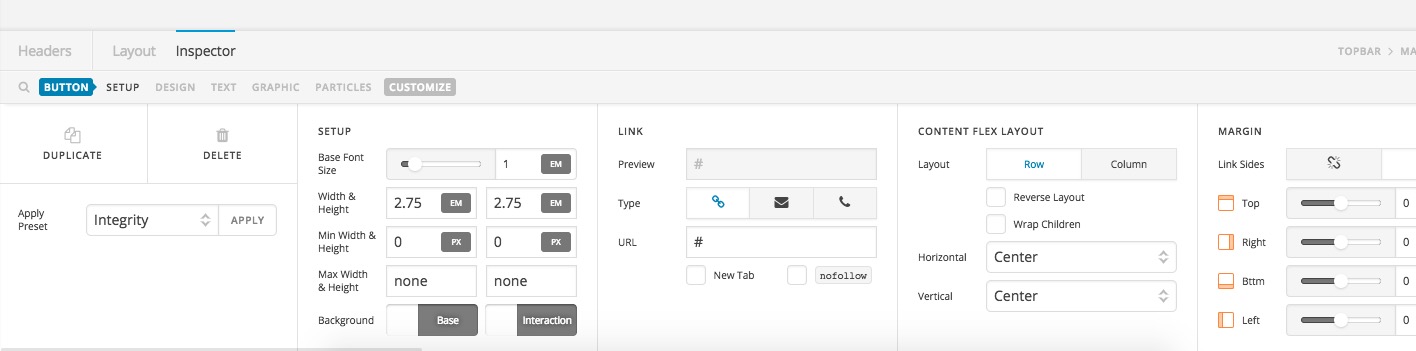
The Theme Options section which you used to add the social media icons are only valid if you use the default header system of the Pro Theme. If you assign the pages to a header built with the Header Builder which is accessible from Pro > Launch > Headers then you need to add the Social element in the Header Builder:

Thank you.

This topic was automatically closed 10 days after the last reply. New replies are no longer allowed.