When I am trying to add Social icons in a row I am unable to add icons one next to the other. I want to have Linkedin, Facebook and Email icons side-by-side.
However, when I am trying to add it is appearing vertically one below the other. Can you help me what should I change to make it appear the way I want?
Hi @deejay86,
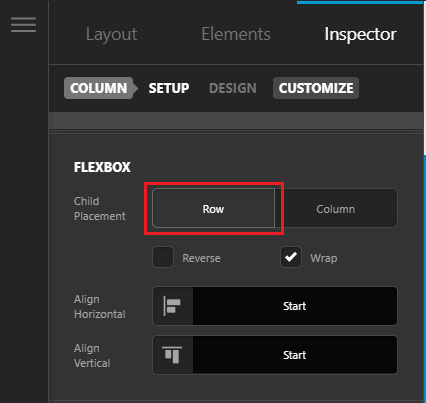
Thank you for reaching out to us. Go to the column’s settings in Cornerstone/Content builder, under Flexbox settings select Row to show elements side by side in that column (see screenshot)
Hope this helps!
This topic was automatically closed 10 days after the last reply. New replies are no longer allowed.