Social Icons in navbar / child theme help

Hi there,

I have been trying to achieve the same thing like here:

I have already installed the child theme, but I don’t have a _navbar.php - file or anything sounding similar in /wp-content/themes/x/framework/views/global/_navbar.php

What do I do?
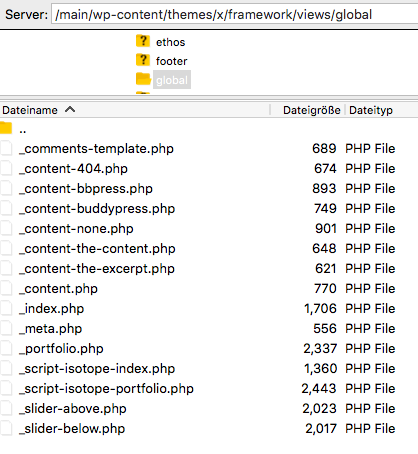
Hi There,

Please copy the navbar.php file from the Parent theme folder that is x. It will be find in this location /x/framework/views/global/navbar.php and create similar folder structure in child theme and paste the file over there.

Hope this is clear.

Thanks

Thanks for the quick response.

That’s my problem I don’t seam to have a “navbar.php” (?!) What can I do?

Hi there,

Apologies for the confusion. The _navbar.php is now in wp-content/themes/x/framework/legacy/cranium/headers/views/global so if you want to override it, you will have to add the customized file in wp-content/themes/x-child/framework/legacy/cranium/headers/views/global.

Hope this helps.

Found it, thank you!

You’re welcome.

This topic was automatically closed 10 days after the last reply. New replies are no longer allowed.