Small text issue after update

Dear Support,

I have just updated one of my Pro websites and I am super happy with the Template Manager—thank you,

I have just one issue with a text on the header button. For some reason it moved to the right, while before the update it was cenetered. I have chacked the settings in header biulder, and everyhting looks OK. This text should be cenetered. I have cleared all cashes. I don’t knwo what is causing that problem.
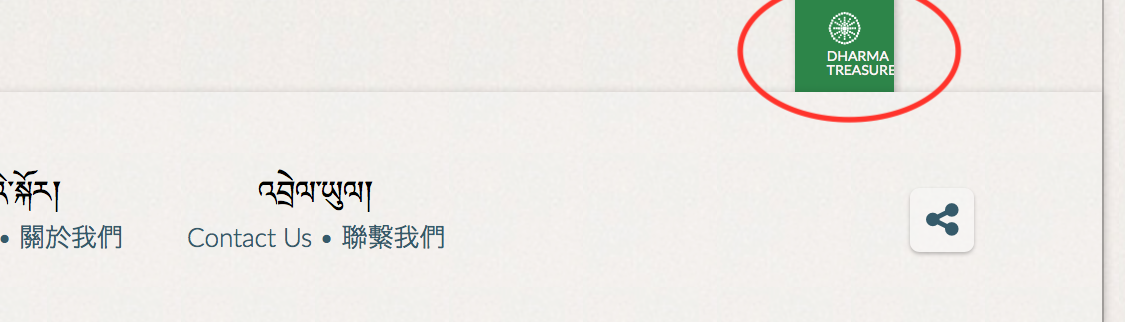
I am attaching the screenshot. The website is dharmaebooks.org – the button sits on the right top corner of the header.

Beata
Hi there,

Thanks for writing in!

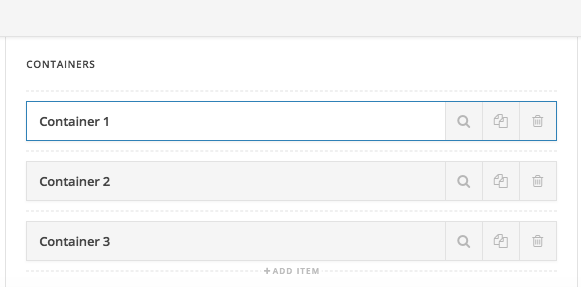
I think your bar containers are interchanged the order in some reason. Thats why the logo is in right.
Just drag and interchange it.

Regarding the text, please increase the button width it will fix your issue.

If that doesn’t help please send us your login details in a secure note so that we can have look an to it.

Thanks

Hi there,

It’s not gonna center due to padding. The center alignment is only applicable for contents with enough spacing to move. Hence, it’s already centered, but the padding almost reached the center, hence, pushed more to the right.

As a sample, I duplicated your header named X TEST, then remove the padding and set the graphics max width to 24px, then set the text bottom padding to zero.

Thanks!

Thank you million!

If I may have an additional question – is there a way to hide blog name from the breadcrumbs (on a single post). Ideally I would replace it with category name, but if that is not possible, just remove blog’s name.

thank you.

Hi there,

To hide the last part of the breadcrumbs which is the blog name you can add the CSS code below to Pro > Theme Options > CSS:

.single .x-crumbs-list .x-crumbs-list-item:last-child,
.single .x-crumbs-list .x-crumbs-list-item:nth-last-child(2) > span.x-crumbs-delimiter {
    display: none;
}

Kindly open up new threads for additional questions as it will help us to focus on each issue and give you a better support which you deserve. Having a long threads makes the maintaining job harder and also it will be harder for the other customers to find the correct information if they have similar issues. You are always welcomed to reply to this thread to follow up the same question.

Hope it helps.

This topic was automatically closed 10 days after the last reply. New replies are no longer allowed.