I’ve attempted to update the slider image in the band demo, but the original slider image still remains. There doesn’t appear to be a setting in my Cornerstone Theme Options section to update the slider that is being requested. Ideas?
Hi There,
Thanks for writing in! There’s no slider in the Band demo. Are you referring to the Introduction section or releases section?
Instruction section is using classic image element and releases section is assigned a background video for the section it self.
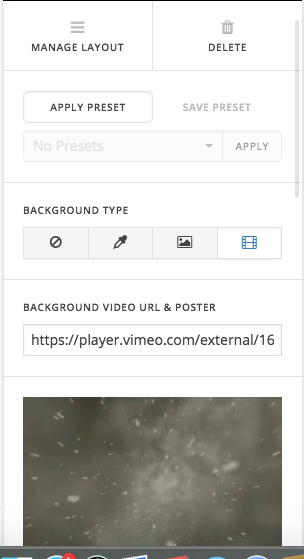
If you’re referring to another section, please provide us with a screenshot so that we can assist you accordingly.
Thanks!
Thanks for responding. I’m actually talking about the background image that is behind (above) the introduction section on the homepage. I have successfully changed the image in the introduction section, from the video to a static image, but can’t locate the section to change the faded section that occurs above. It appears to be part of the header, but I can’t locate where to update so it matches.
Hi There,
That image background is coming from page background. Just edit the page and remove the background.

Hope that helps!
This topic was automatically closed 10 days after the last reply. New replies are no longer allowed.