Slider Revolution Setting missing

Hi There,

I’m trying to follow this doco: https://theme.co/docs/append-sliders-to-your-header

And I can’t seem to find this setting anymore. I go to edit the page > Settings and there is no option to add rev slider above the header anymore.

Please assist.

Hi @BigBagoo,

Thanks for reaching out.

When you edit your page, please go to the bottom part and you can see the option there.

Hope that helps.

Thank you.

How do you get to that screenshot? When I am editing the page, I don’t see that option.

Hello @BigBagoo,

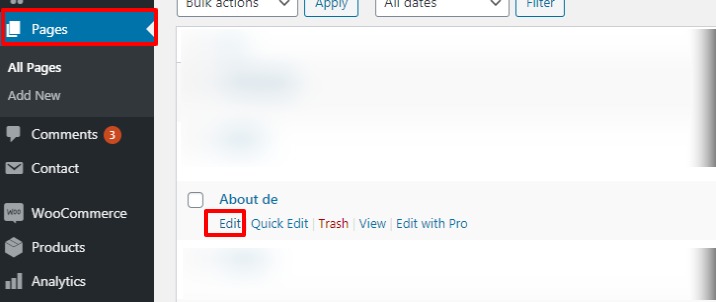
To get the Slider Settings as shown in the above post you need to go to Pages–>Click on the “Edit”–>Scroll down to the Page settings.

Please have a look at the given screenshot below.

Hope it helps
Thanks

I see it there now thanks! I remember it being on the Pro settings page before

Glad to hear!

This topic was automatically closed 10 days after the last reply. New replies are no longer allowed.