Slider placement

Hello lovely people,

I want to place the slider, blue buttons, below the image (as opposed to currently being placed on the box). Please find the attached screenshot for desktop.
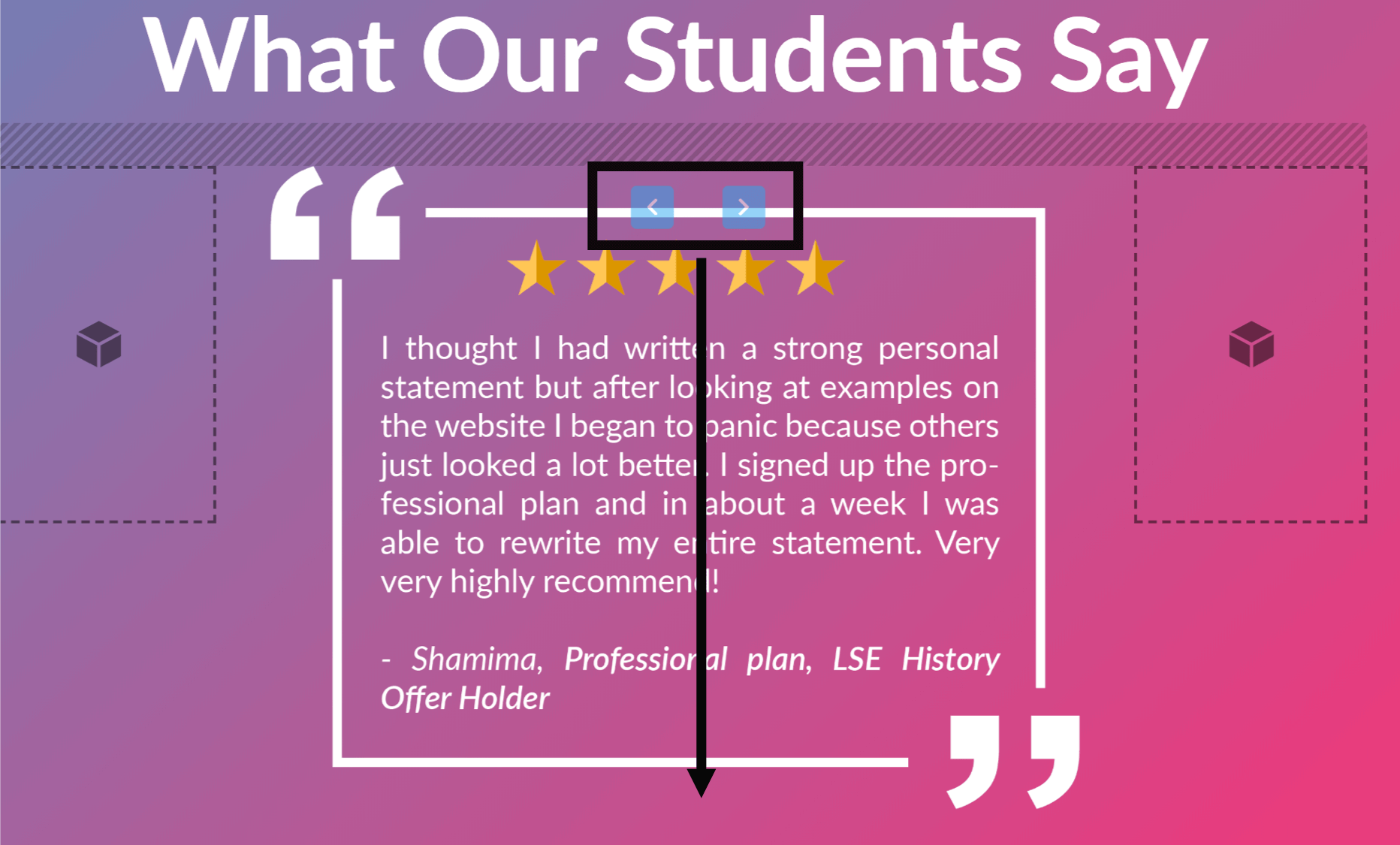
The same goes for mobile but instead on top of the text box. Please find the attached screenshot.

Thanks.

Hello @AndrewM94,

Thanks for writing in!

To resolve your issue, please update your custom css and use this instead:

.flex-direction-nav a.flex-prev {
    left: calc(47% - 14px);
    margin-left: -30px;
}

.flex-direction-nav a.flex-next {
    right: calc(47% - 14px);
    margin-right: -30px;
}

.flex-direction-nav a.flex-prev,
.flex-direction-nav a.flex-next {
    top: auto;
    bottom: 0px;
}

@media(max-width: 767px){
    .flex-direction-nav a.flex-prev,
    .flex-direction-nav a.flex-next {
        top: -30px;
        bottom: auto;
    }
}

We would love to know if this has worked for you. Thank you.

Works like a charm!

Thank you so much, RueNel!

Hi RueNel,

The placement of the button works perfectly well. However, the arrow icons inside buttons seem to have disappeared!

Please find the attached screenshot.

As always, you have been amazing with your constant support!

Thanks.

Hey Andrew,

I have tested the code before sharing it with you. It could be a cache or the minified version of the page source. Please keep in mind that since you have installed a caching plugin SG Optimizier, please clear your plugin cache and regenerate the minified JS/CSS files before testing your site. This can cause the changes to not take place on the front end. It will eventually show up when the cache regenerates, but it’s not ideal if you’re looking to see your changes immediately. Caching and Minify plugins are best to turn on only when you’ve finished building the site.

Please let us know how it goes.

This topic was automatically closed 10 days after the last reply. New replies are no longer allowed.