Slide Container > Carousel - html tags stripping from first slide when using Looper

this is an odd one.

I’m not sure how, but the html tags are removed from the first slide in a Looper Carousel.
(I managed to fix it by using classes instead of tags)

once the Carousel slides to the next event set, the tags are inserted back into the html of the old-first event and then removed from the new-first event.

this seems to happen every time there’s 3+ events in the carousel

here’s the page:
https://iwfct.org

<span style='white-space:nowrap!important'><span id='month' class='month'>{{dc:acf:post_field field="mec_start_date" type='date' format="M"}}.</span>&nbsp;<span id='day' class='day'>{{dc:acf:post_field field="mec_start_date" type='date' format="j"}}</span>
{% set endDay = acf.post_field({ "field": "mec_end_date" }) %}
{% if acf.post_field({ "field": "mec_start_date" }) != acf.post_field({ "field": "mec_end_date" }) %}
<span id='endday' class='endday'>{{ endDay | date("j") }}</span>
{% endif %}&nbsp;<span id='years' class='years'>{{dc:acf:post_field field="mec_start_date" type='date' format="Y"}}</span></span>

1st
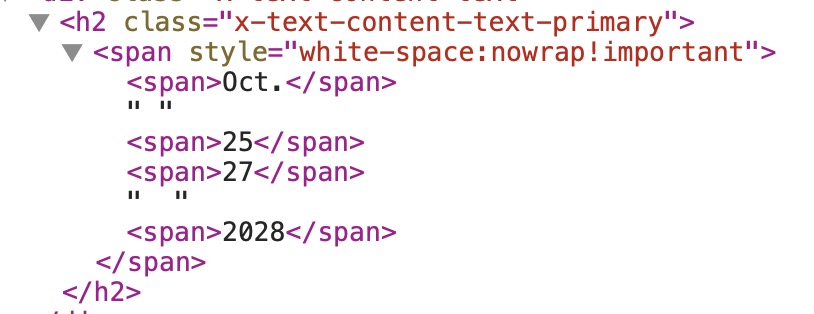
2nd+
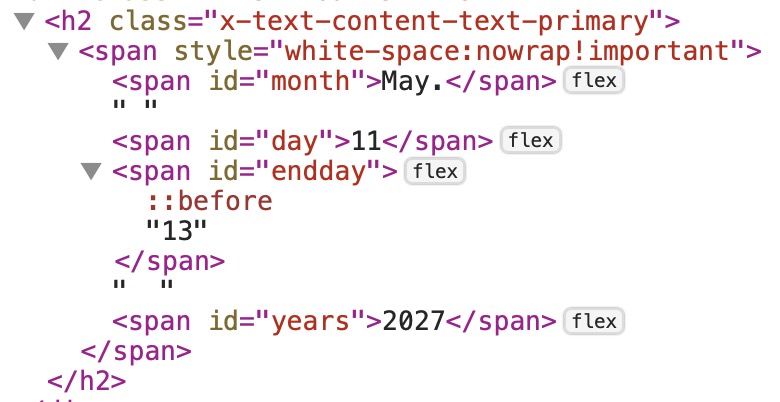
Hey @splaquet,

The behavior you mentioned is a standard mechanism in Splide.js (the underlying library powering the Themeco Pro / Cornerstone Looper Carousel) to maintain valid HTML and prevent DOM conflicts.

Why this happens:

  1. Slide Cloning for Infinite Loops
    When your carousel has 3+ events and is set to Wrap: Carousel (infinite loop), the slider library must duplicate/clone slides and place them at the beginning and end of the track to enable seamless scrolling in both directions.
  2. First Slide is Actually a Clone
    Upon initial page load, the slide displayed in the first position is often a cloned slide (prepended by the library so you can immediately scroll backward).
  3. Automatic ID Stripping
    In HTML, id attributes must be completely unique. To prevent duplicate IDs (which would break accessibility and JavaScript/CSS targeting), the slider’s internal scripting automatically strips the id attributes from all elements within cloned slides.
  4. "Tags disappearing and reappearing"
    As you slide through the carousel, the slider swaps the cloned slides with the original slides. When the original slide comes into view, the IDs are intact. When you transition to a cloned slide, the IDs are stripped.

Why your fix works ( (I managed to fix it by using classes instead of tags)):

I believe you mean id not tags. By switching to classes (class="month") instead of IDs (id="month"), you resolved the conflict.

Unlike IDs, classes are designed to be reused multiple times on the same page. The slider library does not strip class attributes from cloned slides, ensuring your styles and selectors remain fully active across all slides (both original and cloned) at all times.

This topic was automatically closed 10 days after the last reply. New replies are no longer allowed.