On this website home page. https://foodzonestore.com/. We have a cap. We have it set with two colors. The cap is in the right column. It is a product for sale. For some reason it displays the product real small vs taking the the entire space on the second column. What css would we need to enter to fix the issue? Thank you.
Hello @rkassebaum,
Thanks for writing in!
Did you used [products columns="4"] in the text element? Please replace it with one column or two columns only like this: [products columns="1"].
We would love to know if this has worked for you. Thank you.
When I enter in what you suggested it does do one column and enlarge to the space. However, I just want the category caps. How do I adjust for just that category with the one column.
Hey @rkassebaum,
What you’re looking for is a feature of WooCommerce Please see the setup example by WooCommerce under the Scenario 5 – Specific Categories at https://docs.woocommerce.com/document/woocommerce-shortcodes/
For more WooCommerce related instructions, please see the WooCommerce documentation.
Thanks.
I’m trying to to enlarge the product to fill the right side of the area. I used this shortcode [product_category category=“caps” per_page=“1”]. However, the product doesn’t fill the space.
Hey @rkassebaum,
We need to target the specific product display with CSS so please add a class to the Raw Content element containing the shortcode like this
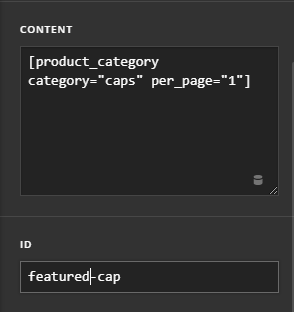
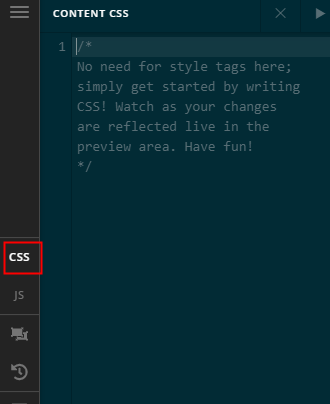
Then, add this CSS in your Page’s Content CSS.
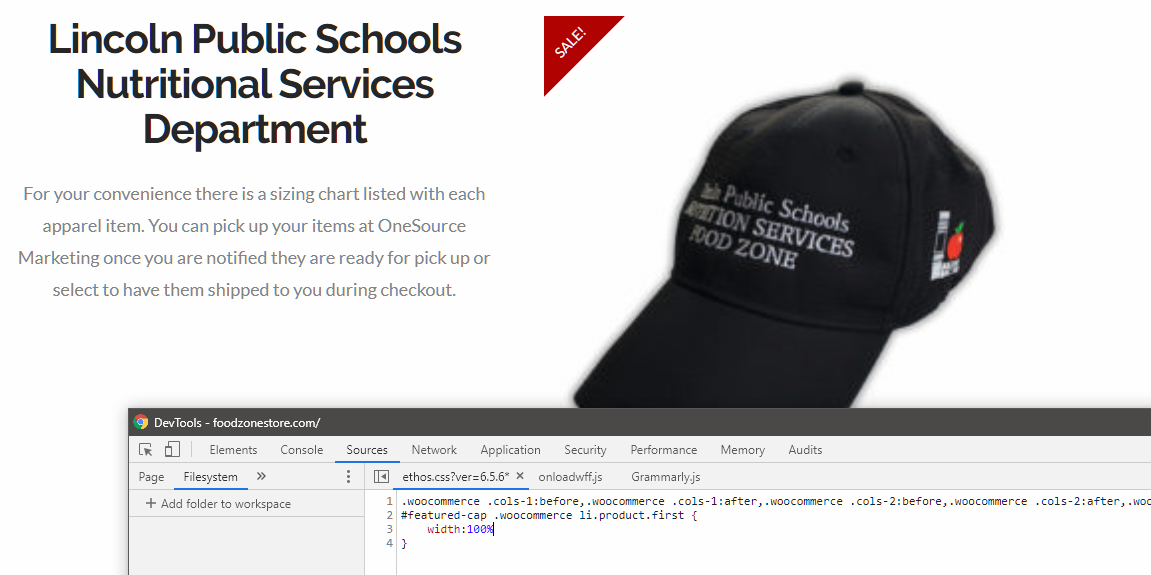
#featured-cap .woocommerce li.product.first {
    width:100%
}
Here’s what it should look like.
Hope that helps.
This topic was automatically closed 10 days after the last reply. New replies are no longer allowed.