Site has container all of a suddent

Hey guys. Our entire team is having some serious issues with this theme. We just got started with a new site and went to change some Global CSS in Appearances > Customize. After saving, all of our pages’ content is now contained in a container and we are unable to make it full width.

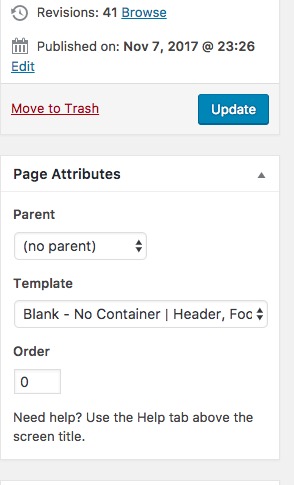
I suspected that something crapped out so I went into each Edit Post and Edit Page page, I found that now it’s impossible to select a template to make it fullwidth. What in the world is going on?

  • Brandon

Hello There,

Thanks for writing in! You can always change the page template. Simply go to Pages and hover the page you’d like to edit. Once hovered, you should be able to see Edit link under the page title just as shown here: https://prnt.sc/hbzdkd

And you can change the page template in the right side of the page editing screen: https://prnt.sc/hbzd7j

If you are in Cornerstone, simply find the gear icon the left side and a popup will display just like this: https://prnt.sc/hbzdaz

Hope this helps.

Hi there,

I fixed the homepage for you. I went to the settings option of the Cornerstone:

Then, I changed the Page Template to No Container, Header Footer:

You can do the same by going to The Page settings:

Thank you.

This topic was automatically closed 10 days after the last reply. New replies are no longer allowed.