Site broken after updates

Hi, I’m a bit of a noob so I apologise in advance if there’s an obvious solution.

Since updating a whole bunch of plugins last week, I’ve been unable to enter the backend of my site (boogiebackdance.com). Basically when I enter my credentials at …/wp-admin.php, I get a http error 500 message. I’m now obliged to access the site by FTP, but I’m not sure if I should now:

  1. Restore from a backup; or
  2. Disable plugins one by one to figure out which is the culprit (and then what?)

Why did this happen in the first place?

Please help!
Muriel

Hello There,

What you are seeing is a PHP Warning. This usually appears when a particulate variable is unset or returns a null value. To get rid of this Warning message, simply disable the debug mode. You can do this by opening wp-config.php and adding define( 'WP_DEBUG' , true ); just above /* That’s all, stop editing! Happy blogging. */

When you revisit the page, you should no longer be seeing this PHP Warning.

Hope this helps. Please let us know how it goes.

Thanks very much for the reply. Unfortunately this solution has not made a difference.

The wp-config.php file currently looks like this:
define('WP_DEBUG', false); define('WP_DEBUG', true); /* That's all, stop editing! Happy blogging. */

Please let me know what I am doing wrong. And would it be possible to get a response-time that’s faster than 2 days? My website is currently out of date by 2 weeks and I run a business so this is very problematic.

Hi @muriel,

I checked your site and it is working well. I believe you have restored your backup.

To fix the issue with the latest version on your setup, create dev site that we could check then replicate your site there with the latest version. From there, we’ll try to debug your setup why it is not working well or showing a 500 internal server error.

Share us the dev site FTP and admin credentials so we could check your setup more.

Don’t forget to set it in a secure note.

Thanks.

Hi @nico,

I have not restored from backup, I’m not sure where you get that from? I’m not able to login to my site at all, this link http://boogiebackdance.com/wp-admin/ returns the same error (whereas before it would display the login prompt, then upon entering my login details it would display the error).

I don’t understand – why should I have to set up a dev site when the issue clearly comes from having run updates? i.e. the issue is from Themeco’s side, surely? This is becoming a real pain.

Hi there,

Does it happen before logging in or after logging in? Because accessing the login page is perfectly fine on our end, which is why we thought that you restored it. If that’s the case, please provide your admin login credentials as well. That’s the only way we can trigger the error and to generate the error log. Else, no point checking the logs through FTP :slight_smile:

Thanks!

It is now happening after logging in (i.e. when I enter my details, it redirects to an error page)
Thanks – I’ll provide my login credentials.

Hi There,

I have tried to connect to your FTP, but I couldn’t (check secure note). Could you please check with your hosting provider with this issue? so that we can look into your issue.

Thanks!

Works for me with the details I provided. I don’t think I should need to contact my hosting provider if the login credentials work on my side? See secure note.

Hello @muriel,

I tried to login and I am also unable to access FTP and this time I am getting Response: 530 Login authentication failed Error: Critical error: Could not connect to server. I am sharing the screenshot in a secure note.

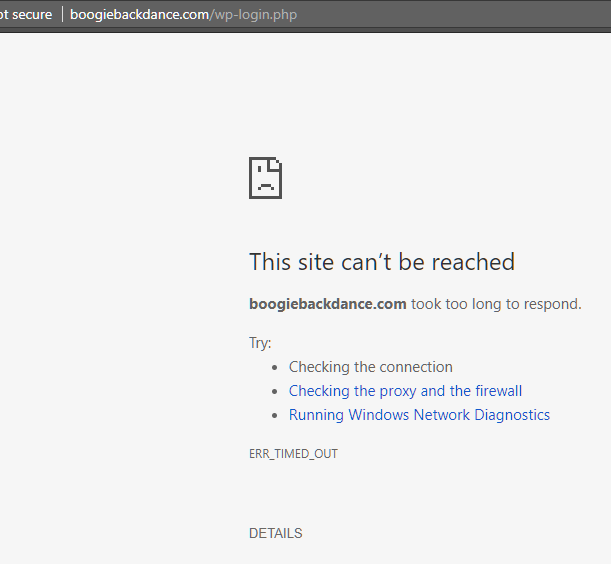
I also tried to access WordPress admin section and there also I am unable to login as I am getting following error message. This site can’t be reached boogiebackdance.com took too long to respond.

Thanks.

Hi there,

I contacted my hosting provider, they responded as follows:

By default, the domains hosted in Afrihost shared server blocks international FTP connections. We are allowing only the access from South Africa. If your developers are from outside south Africa, they will not get FTP access to the domain. If you would like to allow FTP access to your domain from a foreign country, we need to be allow the access from that particular country.

Please let me know which country you would be accessing my site from so that I can enable access from that country. Thanks!

Hi There,

As we have a few guys on the Philipines, please allow to the Philipines.

Thank you

Done – I’ve enabled access from the Philippines.

Hi Muriel,

I tried to login using the details you have provided but I am getting the errors which is attached in the secure note. Perhaps it is because of the IP blocking. The staff in our team are located in a different parts of the world and a different staff might handle the ticket the next time so is there a chance that you can temporarily disable the IP blocking so that we can check?

Kindly also provide the admin login to your site so that we can check when were able check the site files.

Thank you.

Hi Jade,

I have to manually enable access per country, I can’t disable IP blocking entirely. I’ll enable access from countries that I’d imagine your staff might be working form – else if you could give me a list of countries, that would be helpful. Admin login to my site is in the secure note.

Thanks.

Hey @muriel,

Your site doesn’t load. Please check.

We don’t have a list of countries our team is located so it would be best you move to a different host without IP restrictions. I tested connecting through VPN but still the same. My VPN doesn’t have connection to Africa.

Thanks.

The site loads perfectly well for me – the problem must be on your side. I am not changing hosts! This is a problem with THEMECO, not with my hosting provider! I’ve been unable to log into my dashboard ever since I ran updates – please read the whole thread from the start. It’s been OVER TWO WEEKS that I’ve been trying to resolve this issue and this is becoming absolutely absurd. Please. Fix. It. I have now enabled FTP access from any country.

Hey @muriel,

Sorry for the confusion but your FTP credentials still doesn’t work. I passed this along to my colleagues and it doesn’t work on their end either. Since your the only one who can access your server, please do the following.

  1. Check if you have correct WordPress files and folder permissions.
  2. Deactivate all plugins thru FTP or cPanel.

Thanks.

This topic was automatically closed 10 days after the last reply. New replies are no longer allowed.