Single page background images not showing

Hi,
I’ve set a background image in the global “Theme options” but I also want to have some individual pages with their own images. When I add them into the Pages “meta” settings nothing shows up (even if I remove the global background).
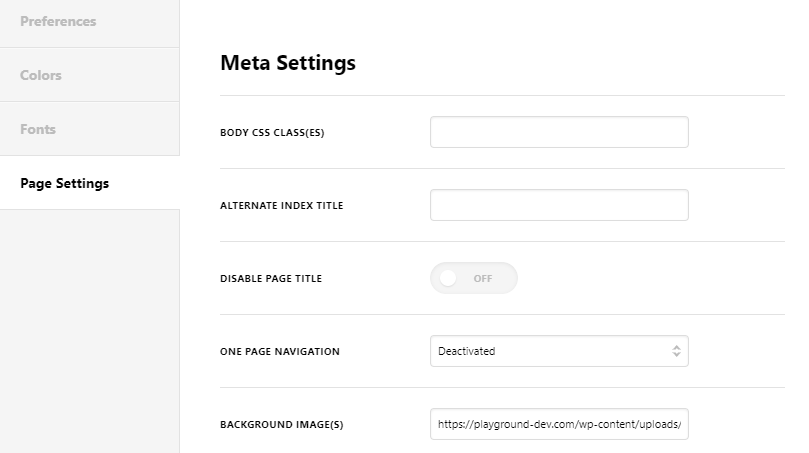
On this page ( https://playground-dev.com/ ) I want to show this background image intead of the global one: https://playground-dev.com/wp-content/uploads/bg-atlas-broker-equipment-finance-1.png

All my Wordpress and X theme file are up to date.
Thanks for your help.

Hi @playgroundmm,

Would you please go to the homepage using the WordPress Dashboard (not the Page Builder) and scroll down to see the same options under the Page Settings and do the test there?

kindly get back to us with the result of the steps above and URL/User/Pass of your WordPress dashboard using the Secure Note functionality of the post to follow up the case if you still have problems.

Thank you.

yep I’ve tried adding the background in the standard page too. I’ve added the login details to the secure note…

Hi @playgroundmm,

I can confirm this as a bug, unfortunately, there is no temporary workaround. I recommend removing the global background from theme options as temporary solution, and add individual background images to the pages. I added this to our issue tracker for further investigation.

Thanks!

ok fair enough… just a note though that the individual background images still don’t seem to work even when the global background image is removed.

Hello @playgroundmm,

Our developers were already made aware of the issue. They are working out a resolution already. This shall be updated in the next release update cycle when we roll it out. Please do watch for it.

Please bear with us.

This topic was automatically closed 10 days after the last reply. New replies are no longer allowed.