Since the 10.6.6 and 10.6.7 upgrades Essential Grid is crashing a few things on my site, reverting to DEFAULT TEMPLATE

When this first upgraded, all of my sites using Essential Grid now have a huge malfunction. Whenever I got to EDIT a page, the page template goes back to DEFAULT instead of BLANK - NO CONTAINER HEADER AND FOOTER.
I can fix using QUICK EDIT, but it will not hold in regular EDIT. This is very confusing for my client. And frustrating for me because saving a page is now a 2-page effort.
And, when I try to use Essential Grid, instead of putting in my collection of images that I select from the media gallery, it now puts up ONE image repeatedly for the number of images I wanted to add.

You can see the page here:
https://www.diversityleadershipalliance.org/gallery-test/
Note - I had done a multi-file upload, but it only shows one of the photos repeatedly.
And it’s using the default template (has a right column) instead of a no-container template.

this is happening on all of my sites that use Essential Grid. I have tested with all the plugins and that is the only one causing this issue.

Thanks!

Hey @viamaria,

Thanks for writing in!

I have investigated the issue on my local testing server.

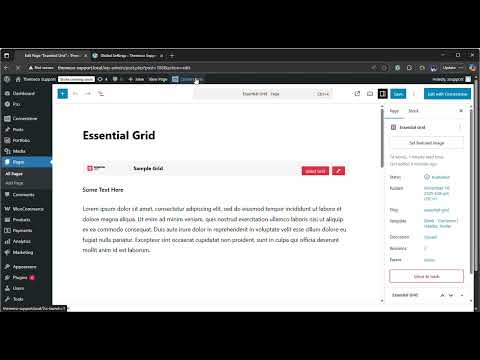
I was NOT able to replicate the issue. Please check out this video:

When I edit the page, it stays with the same page template that I am using.

Please provide WP Access so we can check your site as well. You can create a secure note in your next reply with the following info:
– Link to your site
– WP login URL
– WP username
– WP password
– WP Administrator Role
– Confirmation that we can access and make changes to your site

To know how to create a secure note, please check this out: How The Forum Works

image

Best Regards.

Will do, THANK YOU!

You’re welcome, @viamaria

1 Like

And just to clarify, the Essential Grid itself is all good. There’s no problem with that. The only thing that is happening when I have that plugin installed is that a normal PAGE will be set to the NO CONTAINER HEADER FOOTER template, but as soon as I edit the PAGE, UPDATE, the template changes to DEFAULT. And then I have to go to QUICK EDIT to change the template back to NO CONTAINER HEADER FOOTER. That is the issue, and the only one since I updated all of my sites (but only the sites that use Essential Grid). They might all be on 10.7.7 and not 6.7.7…just a hunch.

I’m having the same issue with page templates reverting to default (updated site, running Essential Grid). I haven’t checked my grids yet, but adding this chunk of code to functions.php fixed the template not saving issue:

// Essential Grid - page template not saving fix
// =============================================================================
add_action(‘add_meta_boxes’, function () {
remove_meta_box(‘eg-meta-box’, ‘page’, ‘normal’);
remove_meta_box(‘eg-layout-meta-box’, ‘page’, ‘normal’);
}, 99);

1 Like

Hello @viamaria,

I recommend cloning your live site to a staging server. This will allow us to investigate the issue safely without affecting your live site. Kindly share the admin login details for the staging server at your convenience.

Thanks

Hi, I just sent a secure note with another site you can do whatever you like! (SweetlyHuman website)

Hello @viamaria,

Thanks for sharing the login details. I have checked your site, and everything appears to be functioning as expected. I tested editing the page and confirmed that the page template saves properly and remains unchanged after edits.

Thanks

Oh gosh - I forgot to give you one IMPORTANT detail! I am doing the edits in classic WordPress edit. The sites I’m having trouble with aren’t in the Cornerstone editor. So you’re in the correct spot - if you go to the Gallery page, you’ll see it’s not in Cornerstone. Make your edit there and then you’ll see the template default! sorry!

Hey @viamaria,

Based on my investigation, the page template was not saved in the first place. Even if you have assigned it, as soon as you hit the Save Changes button, the page template is still set to the default template. I deactivated the Essential Grid and edited the page. I made sure to set the page template and saved my changes. When I activated the Essential Grid plugin again and edited the page, the page template is still set to the one I just recently saved.
Check out the URL in the secure note below.

Best Regards.


Passcode: Mnsiz+3w

Here is a video of the issue happening…

Hi @viamaria,

I have checked the video and can replicate the issue in my local environment. I will check with our development team on this, and if this is a bug of the latest release, I will report it in our issue tracker.

Thanks

Do you have the WordPress classic editor installed in your plugins? I think that is what it is conflicting with.

Hey @viamaria,

I temporarily disabled the Classic Editor, and it has the same behavior. Let’s just wait for our developers to comment on the issue.

Thanks.

1 Like

This topic was automatically closed 10 days after the last reply. New replies are no longer allowed.