Sidebar not showing on blogpost detail pages

Setup:
I use Integrity Stack on X version 5.2.5.
No Cache plugin used.
In X > Launch > Options > Layout and Design I’ve set the content to “content left, sidebar right”.
I have two simple widgets in my Main sidebar.
Problem:
On my Blog Index page, I can see the sidebar (=ok)
However, when opening a blogpost, I see the content but no sidebar anymore, although there’s space to display it.

Can you help?

Hi,

Thanks for writing in! To assist you with this issue, we’ll first need you to provide us with your URL. This is to ensure that we can provide you with a tailored answer to your situation.

Thank you.

Hi there,

Please put the login information on a secure note, not public post.

Thanks.

Hello There,

Thanks for updating in! I have checked your site and I can confirm that your sidebar is empty. Please go to Appearance > Sidebars and assign the newly created sidebar to all your posts and pages. This should resolve the issue.

If that doesn’t help, maybe you have added a custom code in your child theme which created the issue. Please provide us details with your modifications if there are any.

Please let us know how it goes.

1 Like

Hello, thanks for checking :slight_smile:
But does this mean my authors will have to assign the sidebar every time they create a new blogpost?

Also: I tried to assign a new sidebar to a custom post type (“essential_grid”). But this also did not show.
I tried this by (1) creating the new sidebar (“ups-sidebar-jobs”), and (2) adding this snippet in the functions.php of my child theme:
add_filter( ‘ups_sidebar’, ‘add_sidebar_custom_post’ );
function add_sidebar_custom_post($sidebar) {
if( get_post_type() == ‘essential_grid’) {
return ‘ups-sidebar-jobs’;
}
return $sidebar;
}

Hi there,

I think we have a problem regarding the terminology, so let’s make sure we all are on the same page.

I am not sure what you mean by Blogspot. If you mean the single posts then I suggest that you set the sidebar for the whole website by going to X > Launch > Options > Layout and Design and set it to have a sidebar. Then you can set the Blog options by going to X > Launch > Options > Blog and keep it as global options instead of full width.

That will make sure that you have the sidebar at hand. Now to add widgets kindly go to Appearance > Widgets and add the widget that you lie to Main Sidebar widget area:
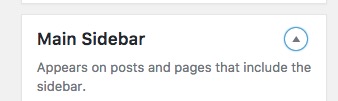
That will ensure the content will show on all pages and posts.

Let’s make sure we finish with the first question, then kindly open up a separate thread and give us more information about the custom post type and what you want to achieve to follow up there.

Keeping the questions separated on their own threads will help us serve you better and focus on each case. Also, it will help our other customers to get better search results if they have the same problem as yours.

Thank you.

This topic was automatically closed 10 days after the last reply. New replies are no longer allowed.