Side bar image issues

I don’t know if this is possible with this theme, but here comes my question anyways. Here is what I would like my sidebar image to look like.

And here is what mine looks like
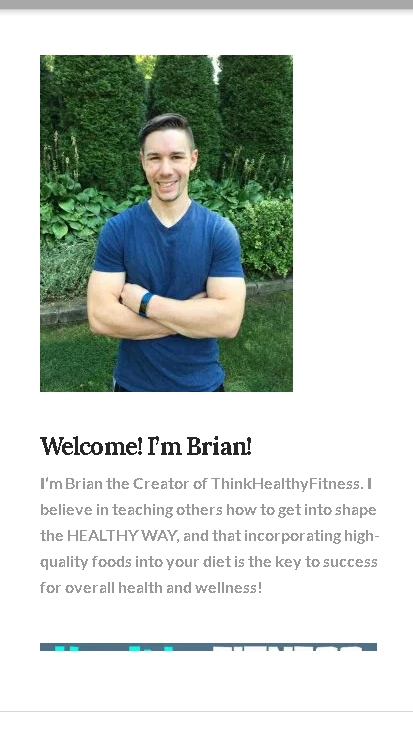
I don’t know if I can create mine exactly like that, but at the least, I would like the text all black, and where the title that says “Welcome! I’m Brian!” to be center with the picture and the text below. Thank you

Hello @Kiselstein,

Thanks for writing in!

To resolve your issue, please add the following CSS code in the X > Theme Options > Global CSS (http://prntscr.com/evui3r)

.x-sidebar {
    color: black;
}

#media_image-5 {
    text-align: center;
}

#media_image-5 img {
    border-radius: 100%;
}

When you apply the code above, you will notice that your image is not a perfect circle. That is because you have uploaded 225x300 image. I would highly recommend that you update the image and upload an image with a square dimension like 225x225 or 300x300.

Hope this helps. Please let us know how it goes.

Thank you very much! Looks better, were almost there. The text is still not center of the picture, and neither is the title above the text. Also, the text is a little small, wondering if I can bring it up a size or two, other than that, It looks great. Thanks

Here’s what it looks like now

Hi There,

To center the text, please also add this custom CSS:

div#text-3 {
    text-align: center;
}

Hope it helps :slight_smile:

It worked! Thank you so much!

You’re welcome!
We’re glad we were able to help you out.

This topic was automatically closed 10 days after the last reply. New replies are no longer allowed.