Hi,
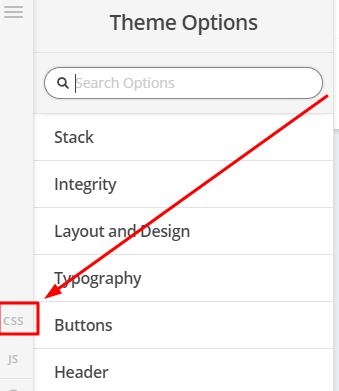
You can achieve that using some css code. Please add the code below in Theme Options > CSS
.x-landmark, .x-breadcrumbs-wrap {
    display: block;
    vertical-align: middle;
    width: 100% !important;
}

.option-set {
    margin-top: 20px;
}

.option-set > li {
    width: 100%;
}

.x-portfolio-filters-menu {
display:block;
    position:static;
    background:transparent;
    width: 100%;
}

.x-portfolio-filters-menu li a,
.x-portfolio-filters-menu li a:hover {
   color:#000;
}

.x-portfolio-filters-menu > li {
   display:inline-block;
   float:none;
   vertical-align:middle;
       margin: 5px;
}

.x-portfolio-filters-menu li a {
       border: 1px solid #000;
    display: block;
    padding: 0.5em 1.75em !important;
}

.x-portfolio-filters {
    display:none;
}

.x-portfolio-filters-menu .selected {
    color: #000;
}
Hope this helps
