Show only excerpts in category pages

Hi,

I’d like to show excerpts of text posts on category/blog pages and search results instead of the full post. Ideally would like a ‘read more’ link. Could you help me understand how to do this please? In my customizer, the “Full post content on index” is turned off. However my category pages still show the full post – example here: https://thetapstories.com/category/uncategorized/

I can’t remember how I seem to have done this: https://thetapstories.com/category/writing/ (used a plugin?) but it takes a few seconds to load so am looking to avoid this.

Thank you so much in advance!

Best wishes,
Ramya

Hi Ramya,

It seems that you have chosen the Masonry layout for the Archives pages and the Excerpt Length is set from the Theme Options > Blog for the website where it is working correctly. I would suggest you compare the settings of the Theme Options > Blog to get the issue resolved.

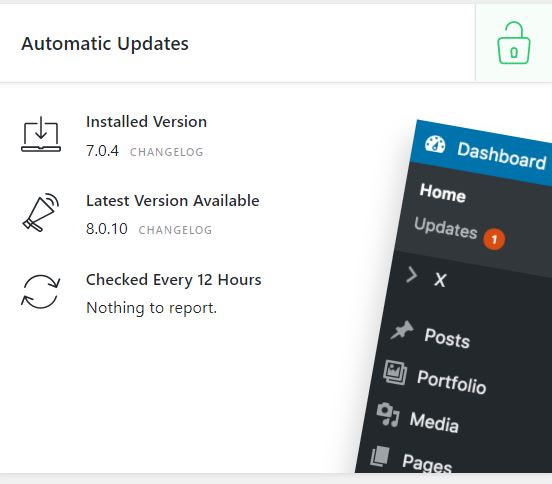
It has been also found that you are using a much older version of the X theme i.e 7.04 whereas using the stable version of Cornerstone i.e 4.2.3, I would recommend you to update the X theme at least to the stable version i.e 7.2.3.
You can also update with the latest release of the theme, I would suggest you follow the below steps while updating to the latest version of the theme.

  1. Delete the Cornerstone
  2. Update the X theme to the latest version on automatic updates
  3. After the X theme is updated, use the link in the dashboard to automatically install the Cornerstone. It will be at the latest version

Thanks

Hi Tristup,

Many thanks for your help. For some reason I don’t see automatic updates even though X is validated, is there anything I can do about this?

xupdates

Best wishes,
Ramya

Hi Ramya,

You can do the manual update by following the instruction given in this article: https://theme.co/docs/how-to-update#how-to-perform-a-manual-update

Hope it helps.
Thanks

This topic was automatically closed 10 days after the last reply. New replies are no longer allowed.