Hey, is there a way to show the old price crossed out in the GRID once my members are logged in. right now in only show the actual member price. it should look like on my product page.

any idea?
Thx in advance
Hey, is there a way to show the old price crossed out in the GRID once my members are logged in. right now in only show the actual member price. it should look like on my product page.
any idea?
Thx in advance
Hi Nikolaus,
You can edit your grid skin and add The element that contains the price and sale price.

Please check the link below for your guide.
https://theme-one.com/docs/the-grid/#skin_builder
https://theme-one.com/docs/the-grid/
Thanks
ok thx!
how can i exclude the additional price info in the grid?
I tried with CSS of the grid but it didn´t work

this is the product page btw. Unfortunalely all the info from the product page is copied in into the grid https://www.korkenfreunde.at/produkt/natural-orange-wine-box/
any idea?
Hi @nikolaus.kemetner,
Would you mind sharing us with your admin account so we can take a closer look at your grid?
Thank you.
Sure, I added a secure note
Hello Nikolaus,
I have tried over and over, I cannot log in to your site. It has an error on it.
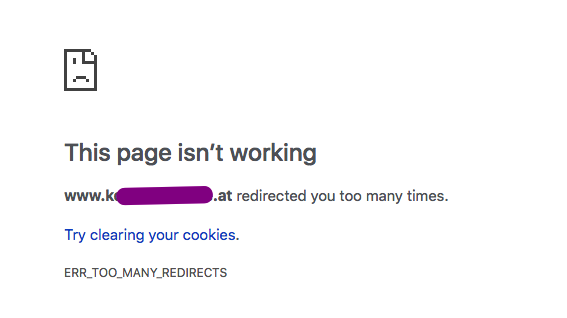
Meanwhile, please edit your grid skin and check if you can remove the extra information for the product price.
Please let us know how it goes.
I just tried with that login info and it worked:

just try to login here: https://www.korkenfreunde.at/mein-konto/
Hello Nikolaus,
The given user credentials may have limited privileges. I am trying to check out your grid and it’s grid skin. It does not allow me to view your WP Admin panel.
Have you checked and edited your grid skin already? Before testing the site, you must clear all your caches first by the way.
Please let us know how it goes.
my skin builder is kind of broken now. it looks find in the skin builder but not in the overall view and not in the grid catalogue.


Hello Nikolaus,
Still have the same result. I wasn’t able to see your WP admin page.
Anyways, anything that displays in your post items can be modified in the grid skin. Which grid skin you are using by the way? Maybe I can check it in my local testing server.
Regards.
Ok. The problem is the following:

My grid general skin “Weinbilder” but for some Wines I changed the skin in the preview to “Weinbilder 3” (Picture)
But as u can see in the Picture the design doesn´t even come to close to the skin builder design.
It looks like a big caching problem, but I already cleared the cache.
Again I will add a new admin login in a secure note
Hi Nikolaus,
I would like to check but I am getting a too many redirects error as well.
Do you mind deactivating your plugin that changes the login url for a while so we can check.
Thanks
there is no plugin that changes my login URL. it is always https://www.korkenfreunde.at/mein-konto/
Can u try another Browser? Because it´s working perfectly on my computer
Best regards
Hello Nikolaus,
Thanks for updating the thread. 
The URL you shared, I am able to login using the form that’s placed in the page. However, when trying to access the the WP-Admin section, I am not able to do so and getting following (see in secure note) error message.
Thanks.
I see, so what can i do now? there is no plugin which changes the URL login.
But I don´t get why everything is working fine, when i log in with the xtheme account? Maybe it´s a caching problem in your browser?
Hi Nikolaus,
I have tried it in Chrome incognito mode and tried it on a different browser as well.
Try to contact your hosting provider and ask if there are any ip restrictions enabled in your server.
That could be the one preventing us from accessing the dashboard.
Thanks
Hi, I just deactivated one Plug which causes the reason.
Can you try again with one of the login in the secure notes?
Thx!
Hello Nikolaus,
I have tried checking your site in different browsers (Chrome, Firefox, Safari) and I still get the same errors over and over when I go to your WP admin. I would recommend that you export your grid skin so that we can test it in our local testing servers instead. You can export it by going to The Grid > Export/Import. For more details how you can export/import, please check this out:
Please let us know how it goes.
Ok I downloaded the json file. how can I upload it here?
Hi Nikolaus,
You may upload the file here: https://uploadfiles.io/ then send us the link here.
Thank you.