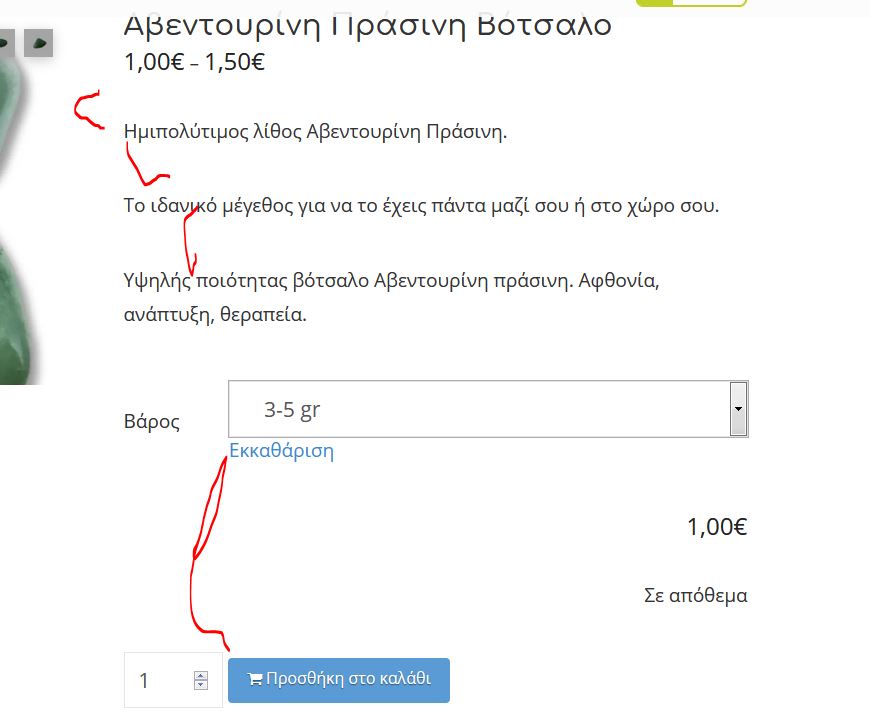
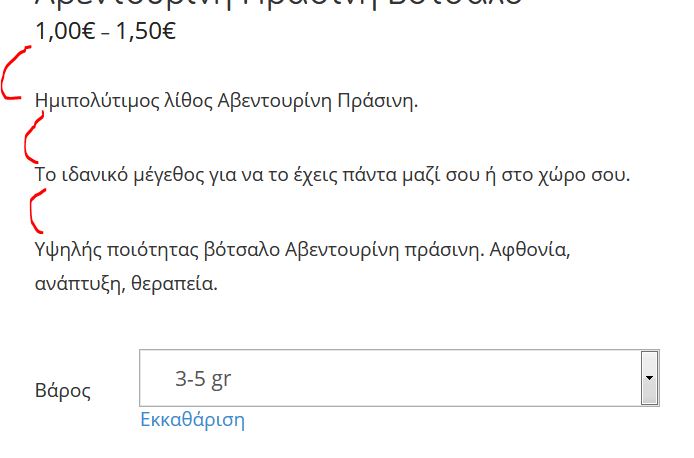
Hello I would like to know why there is a big gap between the lines in product short description.
see photo attached.
How can I make the gap smaller because there is too much white space between the lines.
Hey Stella,
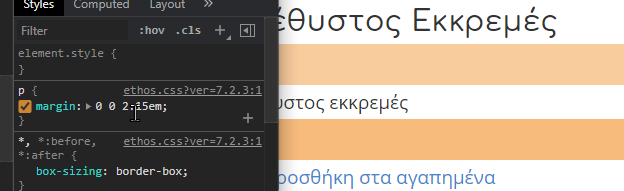
It’s the paragraph bottom spacing of the Ethos stack.
There is no option to modify it because it’s the stack’s design. I’d recommend not using multiple paragraphs in the Product Short Description.
If you really wish to reduce the space (not recommended), add the following code in Theme Options > CSS.
p {
    margin: 0 0 1.15em;
}
Please just note that we do not provide support for custom CSS. If that sample code causes problems, please remove it.
Thanks.
Ok thank you Christian, i used the CSS you provided but with a little change 0 0 0.85em, would there be a problem using it?
Hi Stella,
I just want to let you know that the code you added will apply to all your paragraph on your entire website. If you just want to apply the code only in your product pages, please update your code to this one:
.single-product p {
    margin: 0 0 1.15em;
}
Please note that custom CSS code is outside the scope of our support. Issues that might arise from the use of custom CSS code and further enhancements should be directed to a third-party developer or you can avail One where we can answer questions outside of the features of our theme.
Hope that helps.
Thank you.
Thank you Marc for clarifying , I implemented your code for just the product pages.
Thanks again.
Hi Stella,
You’re welcome and it’s our pleasure to help you. if you have any other concerns regarding our theme features, feel free to reach us.
Thank you.
This topic was automatically closed 10 days after the last reply. New replies are no longer allowed.