So I’ve got two YT videos pulling through, however I cannot select the video element once the YT bit has loaded because all it does it pauses and plays the YT video. Is there a way to select an element without actually clicking on it? Through the layout it only allows you to go down to the row level, not the individual elements within.
Hey @BrowndogDesign,
Thanks for writing in! I have confirmed this is happening on my local development environment as well. This is likely a regression due to the update, which involved a very large refactoring of all our systems to bring the advanced controls from the Header and Footer Builders into the Content Builder. We will certainly take not of this to ensure that we get it addressed in a future update, although I cannot provide a specific timeline on when that might come out.
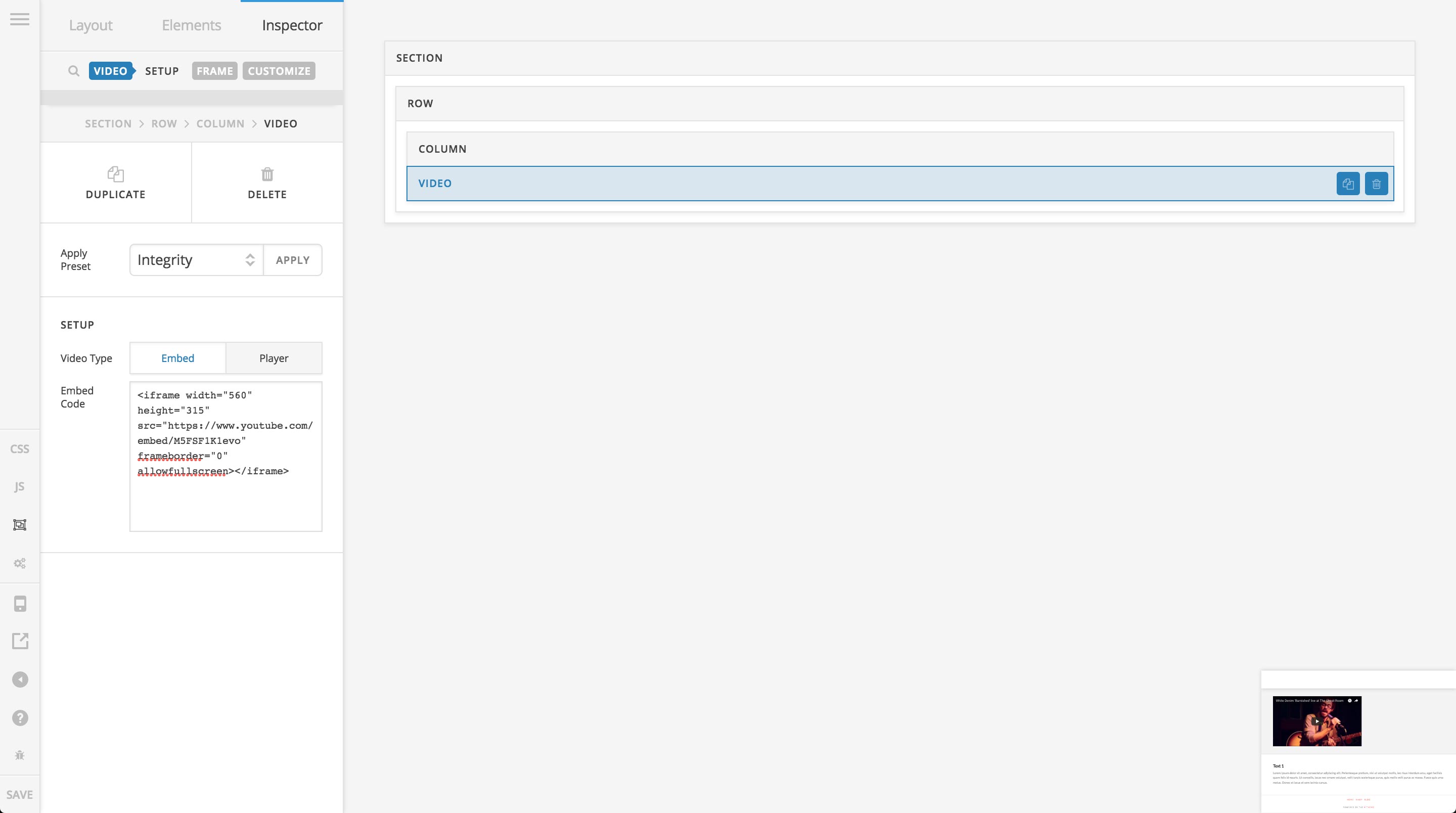
For the time being, you can certainly get around this depending on which builder you’re in. If you’re in the Content Builder, click on the Skeleton Mode button in “The Bar” (the skinny global navigation to the left of the screen), locate the Video Element in question, hover over it and click it to select it in the Inspector, like so:
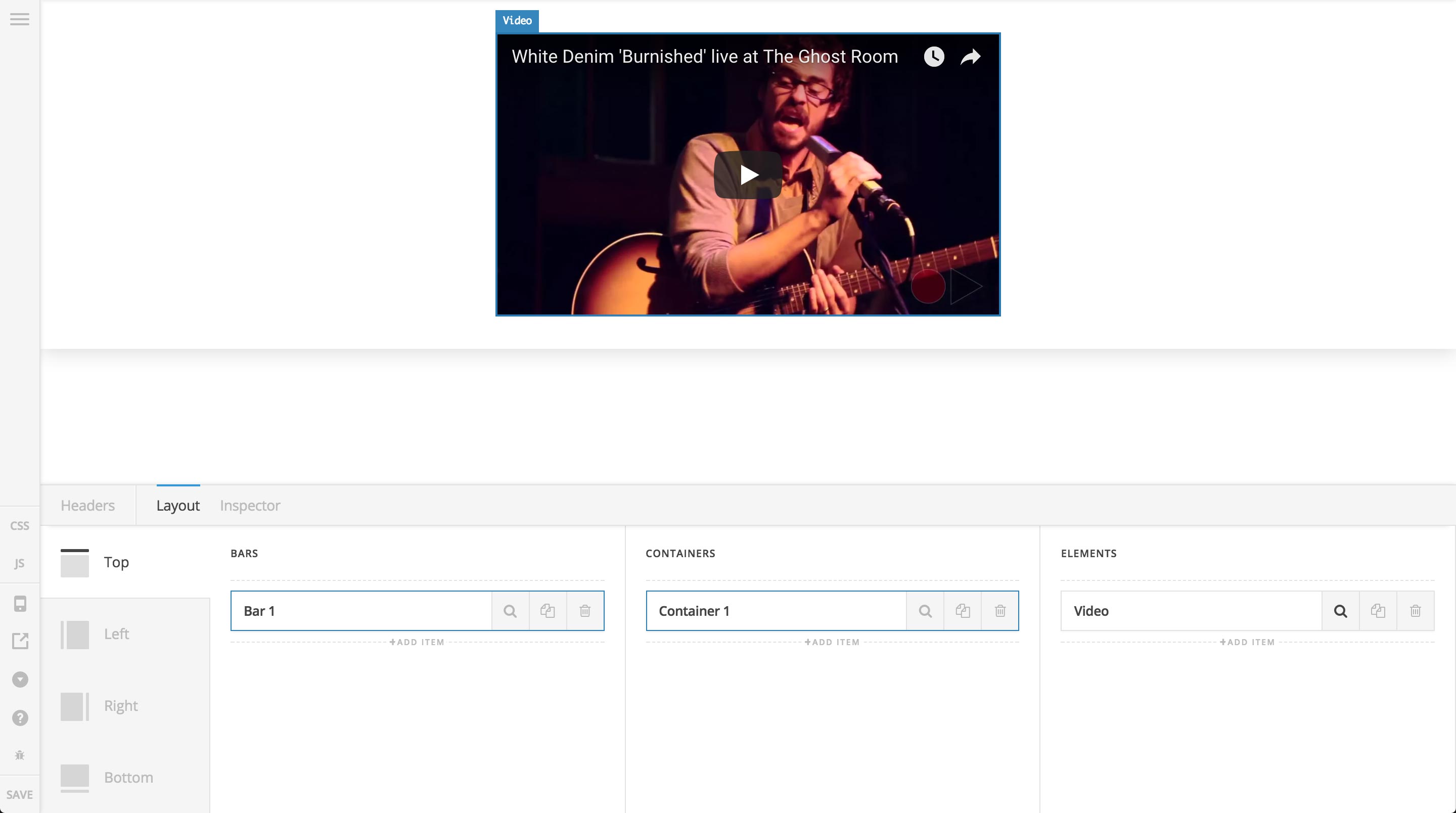
If you’re in the Header or Footer Builders, go to the Layout pane and click the Search Icon on the Video Element sortable to inspect it in the workspace, like so:
Hopefully that helps to point you in the right direction for the time being, cheers!
I just wanted to confirm that this is fixed for the next release. Thanks for bringing it to our attention. Hopefully Kory’s workaround helps for now.