Basically I just want to add a photo to a post - not a featured or a background, but a photo within the text. Also changing it’s layout. I can’t figure out how to do that in the post editor window. I am using X with cornerstone.
Thanks,
Larry
Basically I just want to add a photo to a post - not a featured or a background, but a photo within the text. Also changing it’s layout. I can’t figure out how to do that in the post editor window. I am using X with cornerstone.
Thanks,
Larry
Hi Larry,
Are you using the text element in your post content?
Please Edit The Text > switch to the Rich Text Editor > add the image:

Set the align option for your image:

Hope it helps 
Thanks, but no it doesn’t. Here’ what I see (sending as a link since I don’t see a way to attach an image):
http://richmondhypnosiscenter.com/screenShotForX.png
Oh - actually after messing around for an hour I finally did just discover that if I click on the + sign at the top left I can add a photo. After all your updates ya’ll might want to publish new notes. I tried to use your pro editor and it was so confusing I found it totally useless and regret spending the extra money on it. At least with the present cornerstone it is something like the support forum documents and online classes I have found.
For such a great product ya’ll really should think about making a well-done video class for each edition as it comes out. You’ll sell more.
Hello @larryvolz,
Thanks for updating the thread.
It seems that you are editing the page in Guttenberg editor. As you have activated Guttenberg, in latest version of Pro Theme you should see Edit with Pro button. Please click on the Edit with Pro button to edit the page in content builder. Here’s a screencast that you can take a look.
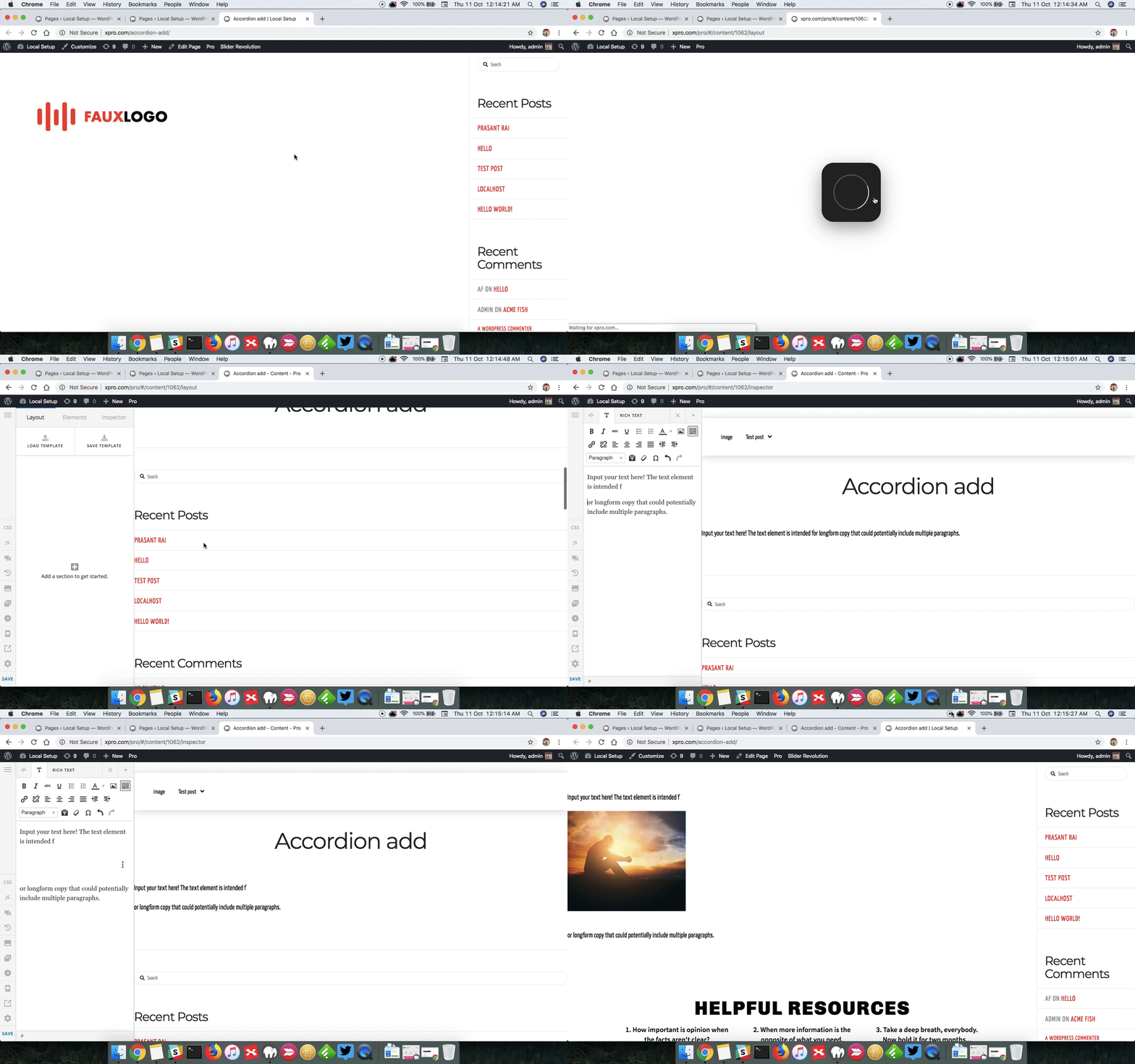
Thanks.
This topic was automatically closed 10 days after the last reply. New replies are no longer allowed.
