Hi!
How can i remove the Margin/Padding in one specific Section (the Section Div Class ist set to myMap), 100% width in the Content:

Here is the link:
https://www.regula-services.ch/wordpress3/
thanks!
Regards Reto
Hi!
How can i remove the Margin/Padding in one specific Section (the Section Div Class ist set to myMap), 100% width in the Content:
Here is the link:
https://www.regula-services.ch/wordpress3/
thanks!
Regards Reto
Hello @aacoit,
Thanks for asking. 
Please add following CSS to remove the spacing.
.el53.x-section.myMap .el54.x-container.max.width {width: 100%;}
Thanks.
Hi Prasant,
Thanks for the answer.
It is better, but not good. See picture:

Thanks!
Hello @aacoit,
Thanks for writing in! The real “issue” here is that the page template you’re using will always output your content in a visible “container” that will constrain the dimensions of any content you put within it. If you want everything on your page go be completely fullwidth, you will need to use the template labeled Blank – No Container | Header, Footer for this page. You can adjust this either in the WordPress admin area for the page, or within your page’s settings panel. To get to the settings panel, click the icon that looks like 3 cogs in the sidebar and you will see a modal revealed with this option at the bottom of the “General” section:
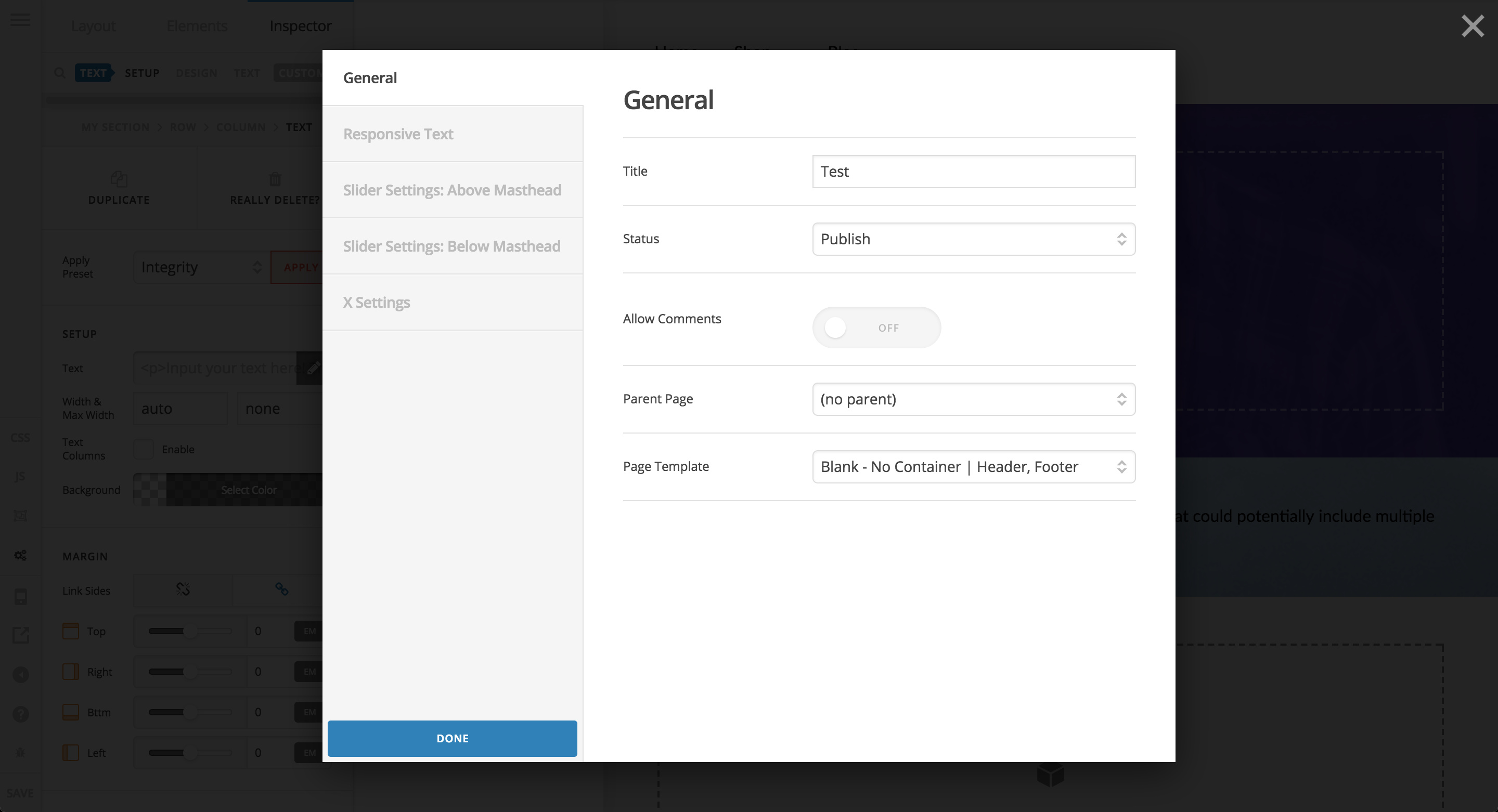
Keep in mind, going fullwidth means you may need to adjust the other content on your page, but you will have full control over the complete layout of the screen this way.
Additionally, please keep in mind that with Pro, you truly have control over nearly every layout parameter you might need for an element, so the CSS provided above, while it achieves a goal, is unnecessary. The point of using Pro is to work to utilize as little external CSS as possible.
Hopefully that helps to point you in the right direction…cheers!