Section Height variation in Firefox

Hello. I have a section above the footer that is acting different across different devices. In Safari and Chrome, the height of the section above the footer is how I want it. However in Firefox, the height of the section is much larger.

The site is RedPilledAmerica.com. I’m using X Theme Pro.

Any idea why this is happening?

Hi there,

Thank you for reaching out to us. I checked your page and I see you’ve given extra margin to your last section and also your custom CSS is conflicting with the page. To fix the issue, first remove the margin from the Text element that has your subscription form.

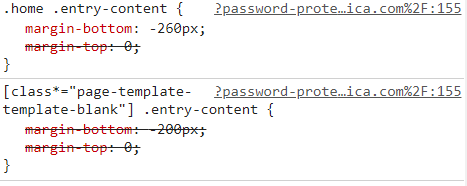
Then go to Theme Options > CSS: and find and remove the following CSS:

.home .entry-content {
    margin-bottom: -260px;
    margin-top: 0;
}
[class*="page-template-template-blank"] .entry-content {
    margin-bottom: -200px;
    margin-top: 0;
}

This should resolve the issue. Let us know how this goes!

That worked. Thank you!

On behalf of my colleague, you’re welcome. Cheers! :slight_smile:

This topic was automatically closed 10 days after the last reply. New replies are no longer allowed.