Hi Josip,
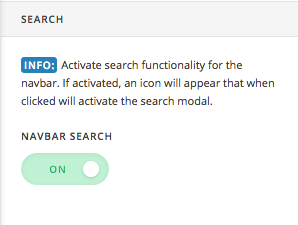
Thanks for writing in! I’m not sure what you mean by separate search bar from X theme. If you want to disable that search functionality, head over to X -> Theme Options -> Header area and then you can disable navbar search.
If you want to customize that popup, you need to copy the following code into your child theme’s functions.php file and then you can customize it accordingly.
// Navbar Searchform Popup
// =============================================================================
if ( ! function_exists( 'x_navbar_searchform_overlay' ) ) :
function x_navbar_searchform_overlay() {
if ( x_get_option( 'x_header_search_enable' ) == '1' ) :
?>
<div class="x-searchform-overlay">
<div class="x-searchform-overlay-inner">
<div class="x-container max width">
<form method="get" id="searchform" class="form-search center-text" action="<?php echo esc_url( home_url( '/' ) ); ?>">
<label for="s" class="cfc-h-tx tt-upper"><?php _e( 'Type and Press “enter” to Search', '__x__' ); ?></label>
<input type="text" id="s" class="search-query cfc-h-tx center-text tt-upper" name="s">
</form>
</div>
</div>
</div>
<?php
endif;
}
add_action( 'x_before_site_end', 'x_navbar_searchform_overlay' );
endif;
// =============================================================================
Please Note: We’re only providing a guidance on certain customizations as it would be outside our scope of the support. So if you require any further customizations, I would suggest you to contact a developer or service.
Thanks!
