Search result problem

:dizzy_face::dizzy_face::fearful::fearful: Help! Help! Help! :fearful::fearful::dizzy_face::dizzy_face:

I have redesigned a site but having a problem with the search. plz advice.

How can I have the search work like this
http://svc004.businesscatalyst.com/search.html?q=Pavers

on x the search is working on the page, not the sections.
https://romanindesign.com/newsite

there are products under the product plz search by there name.

I am using https://www.algolia.com/ ,

Full site site is done just still getting a headache with the search part as I didn’t work on the search part before.

plz advice. if I am missing any information plz ask.

Hey @KaziTouhid,

I’m sorry but can you clarify what you mean by "on x the search is working on the page, not the sections. "? X search works the same way. Can you clarify what’s the difference. Your sample site also does not use WordPress so there might be some differences.

And, X only uses the search engine of WordPress out of the box. For more search options, you need a plugin like SearchWP.

Thanks.

I am having two problem :slight_smile:

  1. I have added products in products page as column but in search its showing the page header , I need the products information show in the search result . Plz advice

  2. And the search page design some how there is a header conflict with the header part and need to design the search page .

let me know how can I solve that. thanks

Hi there,

Would you mind providing a screenshot of what you’re getting? I’m not sure if I followed the issue correctly. Are you referring to description/excerpt of the search result?

You can check about manually added excerpt here http://buildwpyourself.com/wordpress-manual-excerpts-more-tag/

That should add a short description about your post and display in in archive pages, like a search result.

Thanks!

I convert a site in to wordpress with x theme :

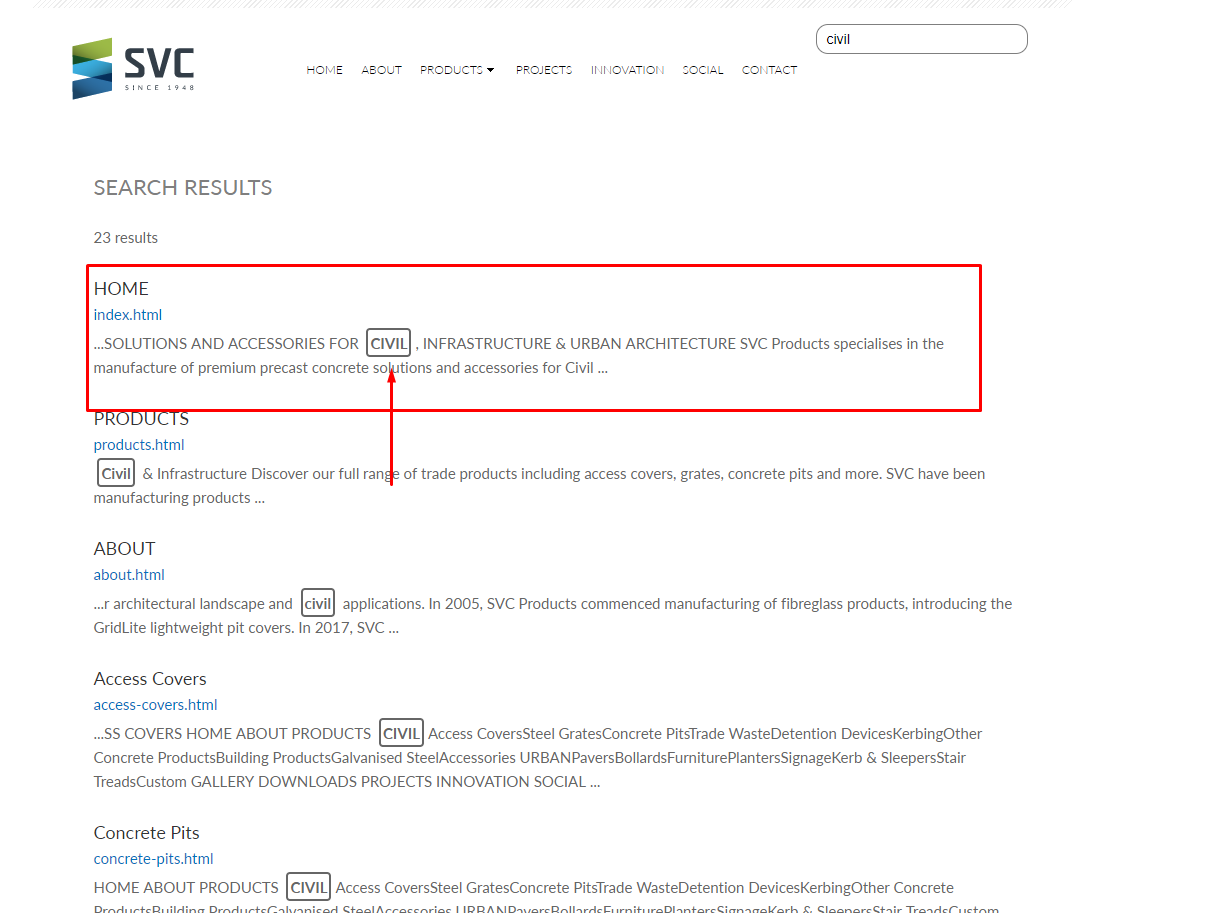
Everything is done but the search part is a problem . The main site shows search like this
http://svc004.businesscatalyst.com/search.html?q=civil
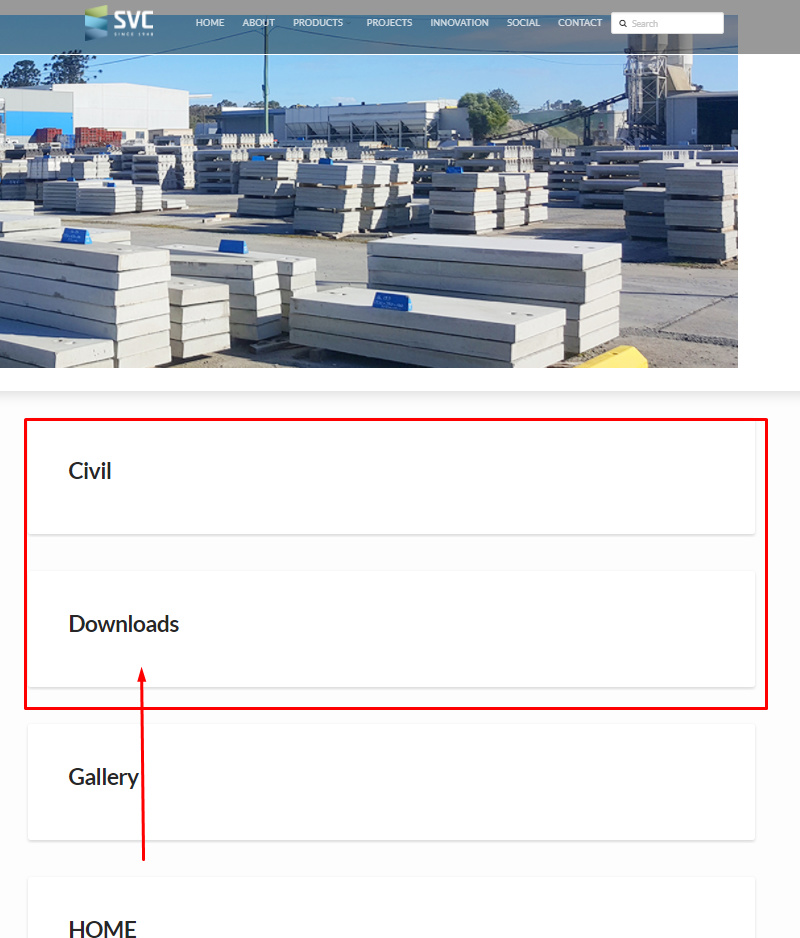
https://romanindesign.com/newsite/?s=civil
taking the content of the pages :

But the on x theme the search is showing only the page headers .

https://romanindesign.com/newsite/?s=civil
But I need to have the page content as the search result

I haven’t worked with the search before so plz explane or guide me with that

here are the few other probem I am facing :slight_smile:

  1. I need to design the search page
  2. the search page header is selecting the page header of the searched page
  3. and the search content of the page

plz search on the page to get a clear idea .

plz advice me as may be this not under theme.com support .

thanks .

Hi there,

AH, it’s the excerpt. You can’t design the search page since the result are based on items being displayed. There is no featured image since it’s a result of pages, plus, there is no description since you created them through cornerstone/builder. Wordpress will generate plain text excerpt from a page or post, and in order to do that, Wordpress will extract the text, remove any codes, and remove shortcodes. And since the content are currently shortcodes (builder generated shortcodes), then it will display as blank. The solution is adding featured image and excerpt support for pages.

  1. Please add this code to your child theme’s functions.php
add_theme_support( 'post-thumbnails', array( 'page' ) );
add_post_type_support( 'page', 'excerpt' );
  1. Add featured image to your page, and manually add text excerpt. Wordpress will output the excerpt that you added instead of generating content from shortcodes.

Thanks!

This topic was automatically closed 10 days after the last reply. New replies are no longer allowed.