In IE, the search dropdown goes off to the right. Can you please let me know how we can fix it?

In IE, the search dropdown goes off to the right. Can you please let me know how we can fix it?
Hi there,
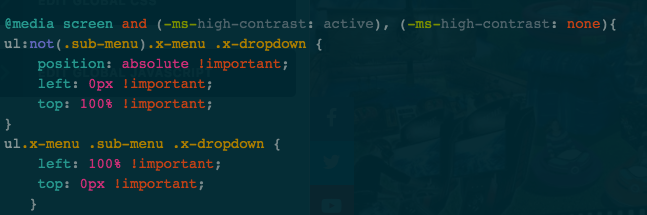
Thanks for writing around! Can you please try adding the following CSS code in the Theme Options > Global CSS or in the Customizer via Appearance > Customize > Custom > Edit GLOBAL CSS
ul:not(.sub-menu).x-menu .x-dropdown {
    position: absolute !important;
    left: 0px !important;
    top: 100% !important;
}
ul.x-menu .sub-menu .x-dropdown {
    left: 100% !important;
    top: 0px !important;
}
Let us know how this goes!
That CSS is already in my customizer.
Hey @donwattz1459,
I have replicated the setup in my test site and discovered this is a bug. As a temporary fix, I added this class search-dropdown-ie-fix to your Search Dropdown to target it specifically and I added this code in your Header CSS
.is-ie .search-dropdown-ie-fix.x-mod-container {
	height:205px;
}

.is-ie .search-dropdown-ie-fix.x-dropdown {
  right: 0;
	bottom: 0;
}

In the code above, the height is the same height as your bar in pixels.
I’ll post this to our issue tracker and this might have an official solution in the future.
Hope that helps.
This topic was automatically closed 10 days after the last reply. New replies are no longer allowed.