Search bar in header

Hi,
How are you? I’m trying to figure out how to make the search bar itself longer in the header. For some reason it is very much affected by the text, submit and margins I assign to them, but I want the bar itself to be much longer, to the width of the text and image above it (image attached).

Would you be able to help me understand how to do that?
Thanks!
And also, how can I design the header to appear differently in different screen sizes? Do I need to duplicate the bars for each screen size, or is there an easier way of doing that?
Thanks!

Hi @alonmg

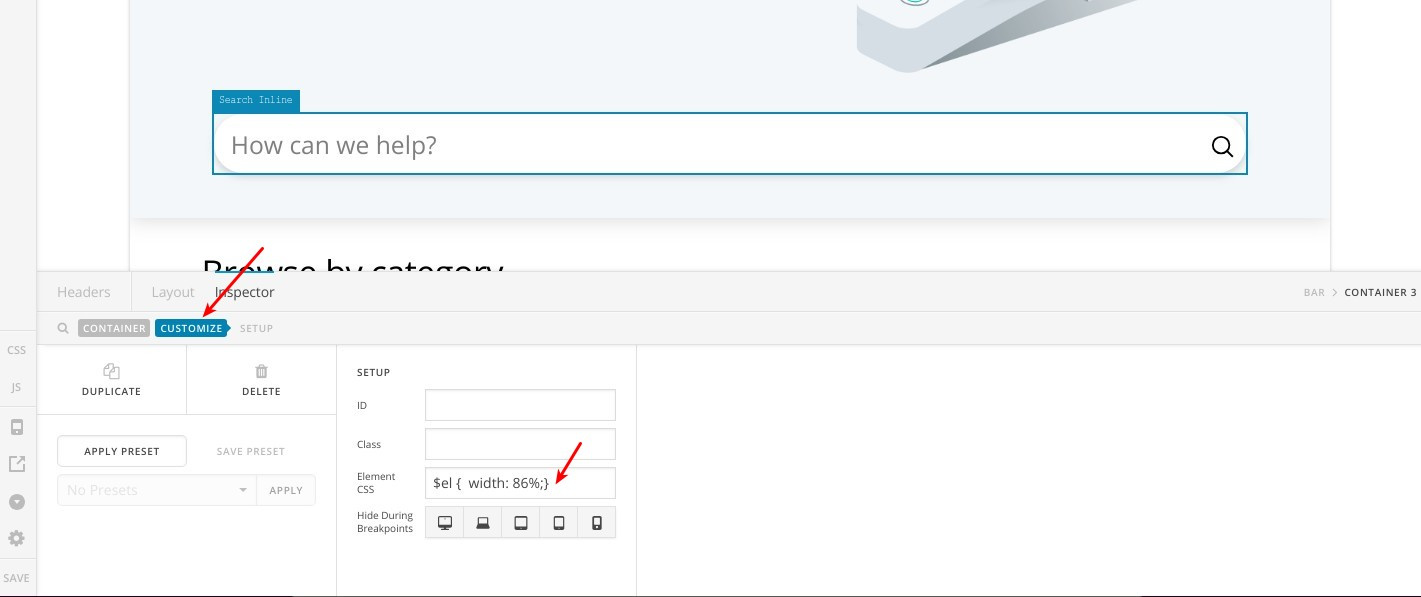
You can edit the container including this search bar and give it a width of 86% in the element style as in this screenshot:

That’s the code you can add:

$el {
  width: 86%;
}

Yes, duplicating the bars then adjusting the visibility settings is your way to go.

Thanks.

This topic was automatically closed 10 days after the last reply. New replies are no longer allowed.