Scroll problem

I build a site with Pro. But when you scroll true the site using a scroll wheel on a mouse or a magic mouse from Apple you have to scroll twice… It seems like the site is locking the scroll after +/- 40px and you have to scroll again to go further. This only happens in the front end, not in the Pro builder.

Please take a look: https://businessmarkers.com/

any advice?
Hi There @MatthM

Thanks for writing in! Is it possible to provide a screen recording of this issue? I have tried to replicate this issue on a Mac, but I could not identify any issue.

Also please mention your OS version, browser used to to test.

Thanks!

You can check a screencast over here: https://www.dropbox.com/s/jzrqnbi7bwvj3q5/BuMa_scrollprobleem.mov?dl=0

It only happens in Chrome (Mac OSX 10.13.5 - Chrome67.0.3396.87)

Hi There,

Thanks for the screencast!
I checked with an iMac with Magic mouse two and Can confirm the issue.
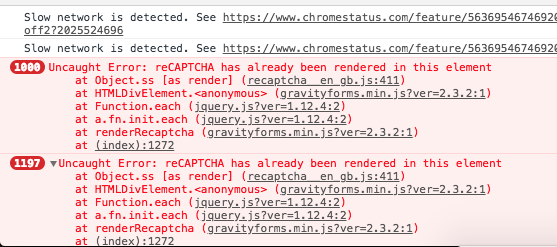
This is may be due to the JS error you have on the page.

I would suggest you to please check for a plugin or script conflict. You can disable all third party plugins and remove all custom JS to check if the issue is due to this.

If that doesn’t help please send us your logins details so that we can have a look.
Just send those in a secure note.

Thanks!

[details=Summary]
How can I send you the login credentials in private?[/details]

BTW it happens on alle the pages, not just the homepage: https://businessmarkers.com/customer-centricity/

I disabled all the plugins and the little JS to trigger the off canvas contact form. The problem is still there.

Hi @MatthM

The main reason behind this issue is that one of the elements or bars added in the header or footer has a height value more than what it should be, hence the browser is still scrolling till the end of this element then continue scrolling the rest of the page elements, check this screenshot:

One good way to prevent this, is to set the height to auto, also you can check this post for further explanation:

Thanks.

Thank you for pointing at this issue… but I don’t understand it. I need this height for the top bar (6em) and as far as I can see there in no container or element higher then the height of the top bar.

Even if I put the height to ‘auto’ the problem still remains.

Please be more specific!

Thank you.

Hi @MatthM

I mentioned this top bar (6em) as an example, you need to go through all the bars and elements in both header and footer checking the height values, as -unfortunately- I can’t narrow it down to a specific bar/element.

Thanks.

This topic was automatically closed 10 days after the last reply. New replies are no longer allowed.