Scroll button on home page broke (same thread continued)

HI-

Sorry, wasn’t able to get onto my site for a while to try the suggestions given in our previous thread and now it seems to be closed. Again, dwon arrow at the bottom of the hero image on my home page doesn’t work.

@Nabeel Staff said:

“I checked your site and I see the cache is still on. There is an error coming through minified JS file when clicked on the scroll button. Please make sure to turn off all the minification services and then completely turn off your cache plugin. If your server is caching your content, make sure to purge those as well”

I turned everything off all the optimization/caching plugins off, cleared the cache on my browser and it dind’t help. Same error. Including my login info if you’d like to try it…

Thanks.

-Brian
Hi Brian,

  • The username or password is incorrect. Could you please double check?

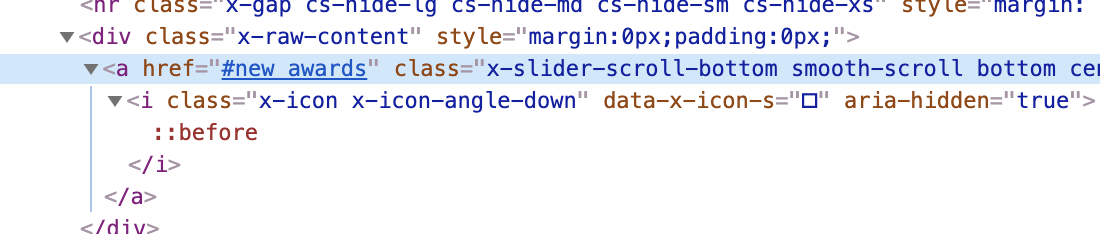
  • Please change the anchor link of arrow button to: #new_awards

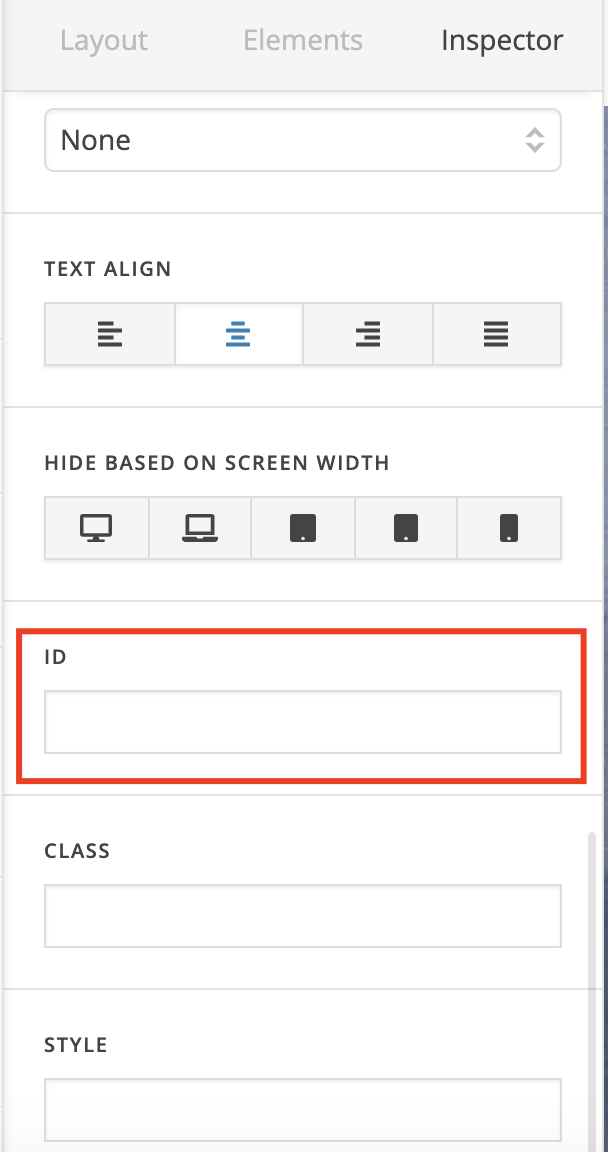
  • Then assign the new_awards ID to one of your sections. I couldn’t find the section with new_awards on your home page.

Regards!

OK, I just did that. It still doesn’t work, though. New_awards is the second section, just below bi pic, the section with the arrow.

Hi @bmahoney59,

The ID is still missing from your section:

I’ve already corrected it for you and the scroll down button is working fine again.

Cheers!

Thanks for that. Sorry, I don’t think I was understanding that ID is different from the section name. Much appreciated!

-Brian

Hi Brian,

I have cleared all caches on your site,

Then I see that your scroll button is functioning properly. Please check the following screen-cast that I have recorded (https://screencast.com/t/ktM4BU7f).

Please make sure to clear all caches when testing on your end as well (https://www.wpbeginner.com/beginners-guide/how-to-clear-your-cache-in-wordpress/).

Thanks!

This topic was automatically closed 10 days after the last reply. New replies are no longer allowed.