Hi, I did found some threads about how to with @media etc. But can you point me to a full explanation on how to show a smaller logo on mobile? thanks!
Hi @PHTGRPHR,
Thanks for reaching out.
Are you referring to X’s header logo? Or image logo added through header builder? If you’re referring to both then there is no need for @media. Unless you’re trying to implement static sizes for each device view.
For X theme header logo, you can change the image width to smaller. Please go to Theme Options > Header > LOGO – IMAGE and make it smaller.
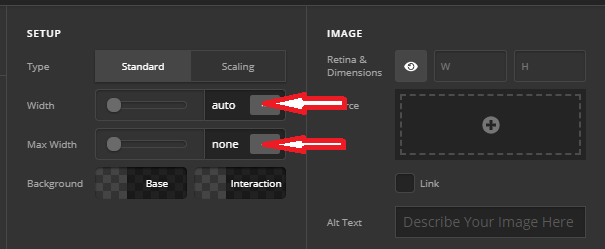
And for pro custom header, just change the width of the added image element.
Thanks!
This topic was automatically closed 10 days after the last reply. New replies are no longer allowed.