Rounded corners

Hi.
On this page: http://sakforum.se/dokument/ I have previously created rounded corners for the black, transparent area.
But for some reason I cannot remember how that was made…a little bit embarrassing.
So the question is - how to I create a half transparent background for a column or row with rounded corners.

Tomas
Hi Tomas,

Thanks for writing in! First you can add a background to your column. Then add a Text element to your column.

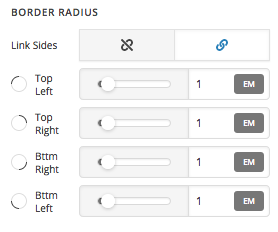
To make rounded corners, set border radius of your text element options.

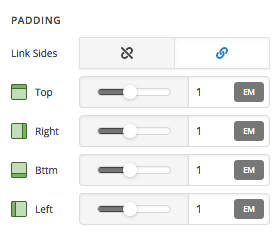
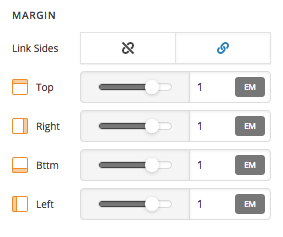
Also you will need to set padding and margin.

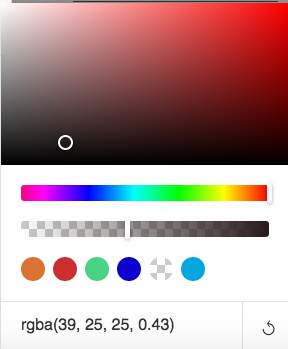
Finally you can set a background color with opacity to your Text element.

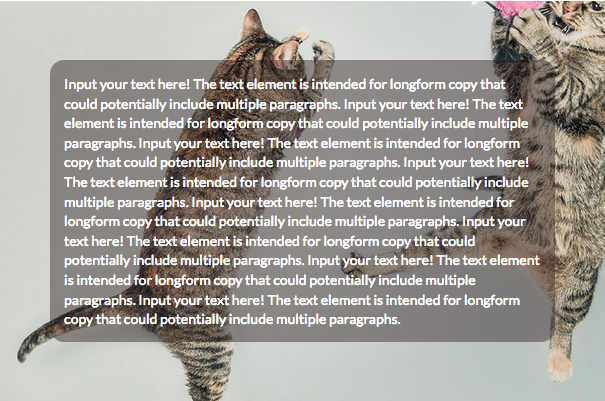
Final output should look like this

Hope that helps.

Perfect. But I cannot find border radius and padding on the text element: http://skagenfiber.no/wp-content/uploads/2018/09/Skärmavbild-2018-09-28-kl.-17.20.14.png

Hi Tomas,

Please click on the cog icon that is on the left panel then enable the Advanced Mode option in the settings.

Hope this helps.

peeeeeeerfect:slight_smile:Thanks

Glad to hear it’s sorted. :slight_smile:

Have a nice weekend.

This topic was automatically closed 10 days after the last reply. New replies are no longer allowed.