Revolution Slider Text Background Layer

Hi the team,

I used Revolution Slider to add text and background on the image. Each image has 2 different rows of text. The issue being is the bottom row of text jumped up far apart if I view on smaller device than computer. The screenshot is here. I would like it to display as it shows on the computer screen. The smaller text sit under the heading.

The website is here.

Thanks
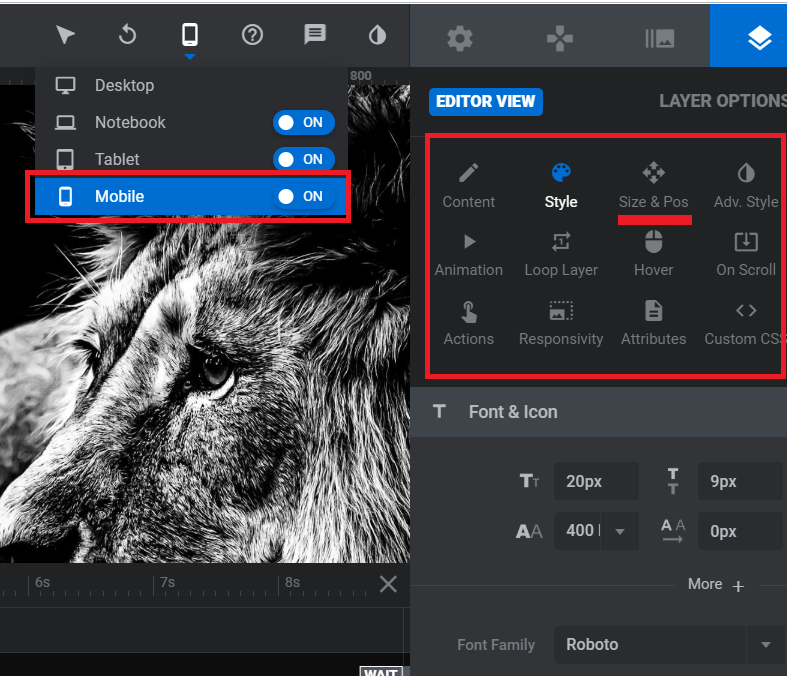
Hello @Symbiosis,

Please edit the text layer and adjust the settings and position on mobile view. You can see something like this on revslider for text layer:

Hope this helps.

Hi there,

Thanks they look great now. It needs to change the position on each device manually but not automatically as initially thought.

All good.

Many thanks

You’re most welcome,

Cheers!

This topic was automatically closed 10 days after the last reply. New replies are no longer allowed.