Revolution Slider Layers must not dissapear

hey there.

i am busy working on my revolution slider on my homepage. i have two images with a few text layers. i want the text to stay permanently after appearing. i know i must snap each layer to the end by clicking on the time symbol. that doesn’t work. sometimes i am able to change the icon but when i open the plugin it is back to the time symbol which means it’ll disappear. and then i am not able to change the icon again and make it snap to the end. how can i get the layers to stay permanently??
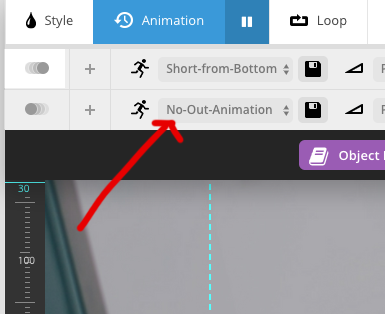
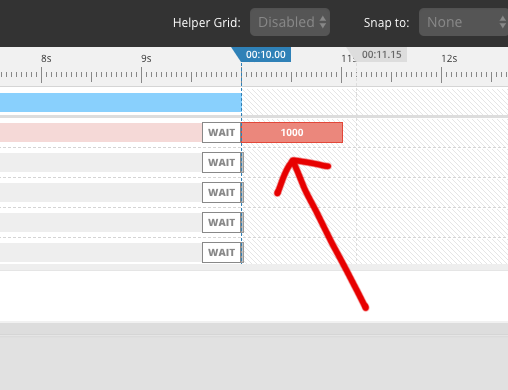
Hi There,

Please check the following guide:
https://www.themepunch.com/faq/prevent-layers-from-disappearing/
If the issue still exists after that, please share the following information on a secure note:

Site URL
Username
Password
Revslider and specific layer with issue.

hey. that didn’t fix the issue. i’ll give you my login so you can have a look at it.

Hi There,

Thanks for sending us the details!
I have changed the out animation for all the text layers, hope this is working fine now. Let Us know if this is some thing you were looking for.

Thanks

thank you that works. just one more question. since you changed it to no out animation the images automatically slide to the left which i originally wanted so you solved to problems at once lol. but before one image slides to the left the layers animation looks like they turn in a circle. how can i changed the way they disappear?

Hi There,

You had added some extra layer space at the end , which was causing the issue. I have removed it and it work fine.

Thanks

This topic was automatically closed 10 days after the last reply. New replies are no longer allowed.