Hello
In the tabs on my page the slider shrinks or gets cut off when you run through the tabs. see attached images for reference. Please help! Need to resolve this issue.
https://www.lifestylez.com/college-ski-snowboard-trips-2019/aspen-snowmass/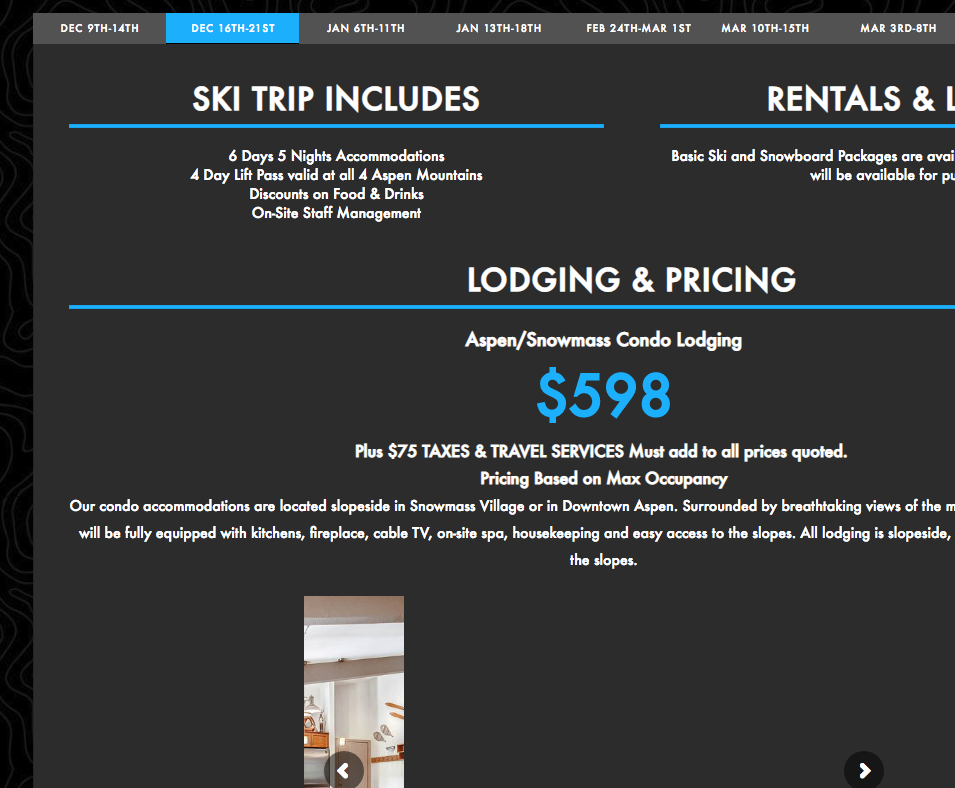

Hello
In the tabs on my page the slider shrinks or gets cut off when you run through the tabs. see attached images for reference. Please help! Need to resolve this issue.
https://www.lifestylez.com/college-ski-snowboard-trips-2019/aspen-snowmass/
Hi There,
Thank you for writing in, this is how your slider looks on my end on mobile.

If you want to keep the aspect ratio of your slide, please set the Slider Layout to Auto
https://www.themepunch.com/revslider-doc/slider-setup/#slidelayout
Hope it helps,
Cheers!
Hey Freich
Thanks but I wasnt talking about mobile. I need it fixed for desktop.
Best,
N
Hi There,
The slider looks good on my Chrome browser(latest version) | Window 10:

Could you please tell us which browser & OS you’re using?
Thanks.
Click on the other tabs. It will be cut off or small.
Hi again,
I see the content on your site is being served by the cache, this could be causing the issue. First try clearing all caches including browser cache then deactivate your caching plugin and other optimization plugins. If you’re using a CDN, please clear the CDN’s cache and disable optimization services and see if this resolves the issue.
If it doesn’t help then you can fix this issue via custom CSS, try adding the following code in the Theme Options > CSS:
.rev_slider.fullwidthabanner > ul {
  width: 100% !important;
}
Don’t forget to clear all caches after adding the code. Let us know how this goes!
This topic was automatically closed 10 days after the last reply. New replies are no longer allowed.