Hey @elpanda13,
I hope this will make sense. I duplicated your slider, played around with the settings and added it to a test page. The Layer Position is relative the Layer Grid Size. I recorded my test in this screencast.
The details above helps us understand the issue. The issue with the invisible layer is your grid size must be larger than all the layers or the layer must be within the grid size for it to show in the editor. In this screenshot:
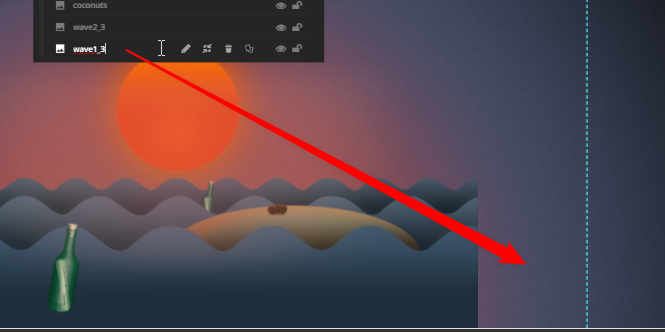
I’ve set the grid size to 1366 in width. It does not show up in the editor. The 3 waves at the bottom spans 3000px combined. The first 2 layers shows up because they are within the grid size.
In this next screenshot:
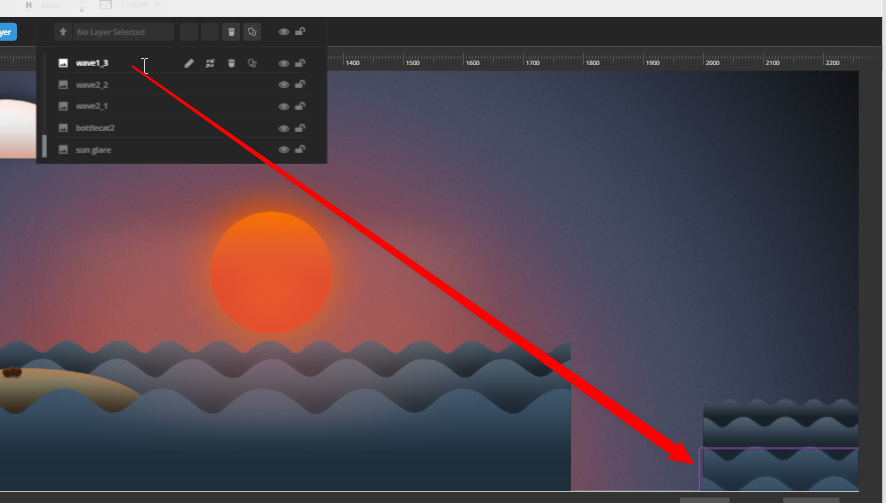
The I’ve set the grid size to 2560px so the 3rd wave layer is within the grid size so it shows up. Even if it shows up though, it does not display the same as in the front-end. I recommend you stitch the images in Photoshop for this case and this is also beneficial for performance as it would take fewer request. If you stick with the current setup, you need to play around with the position values, save and look at the front-end. It looks like this is a bug in Slider Revolution. I’ll post this in our issue tracker.
Thanks.

