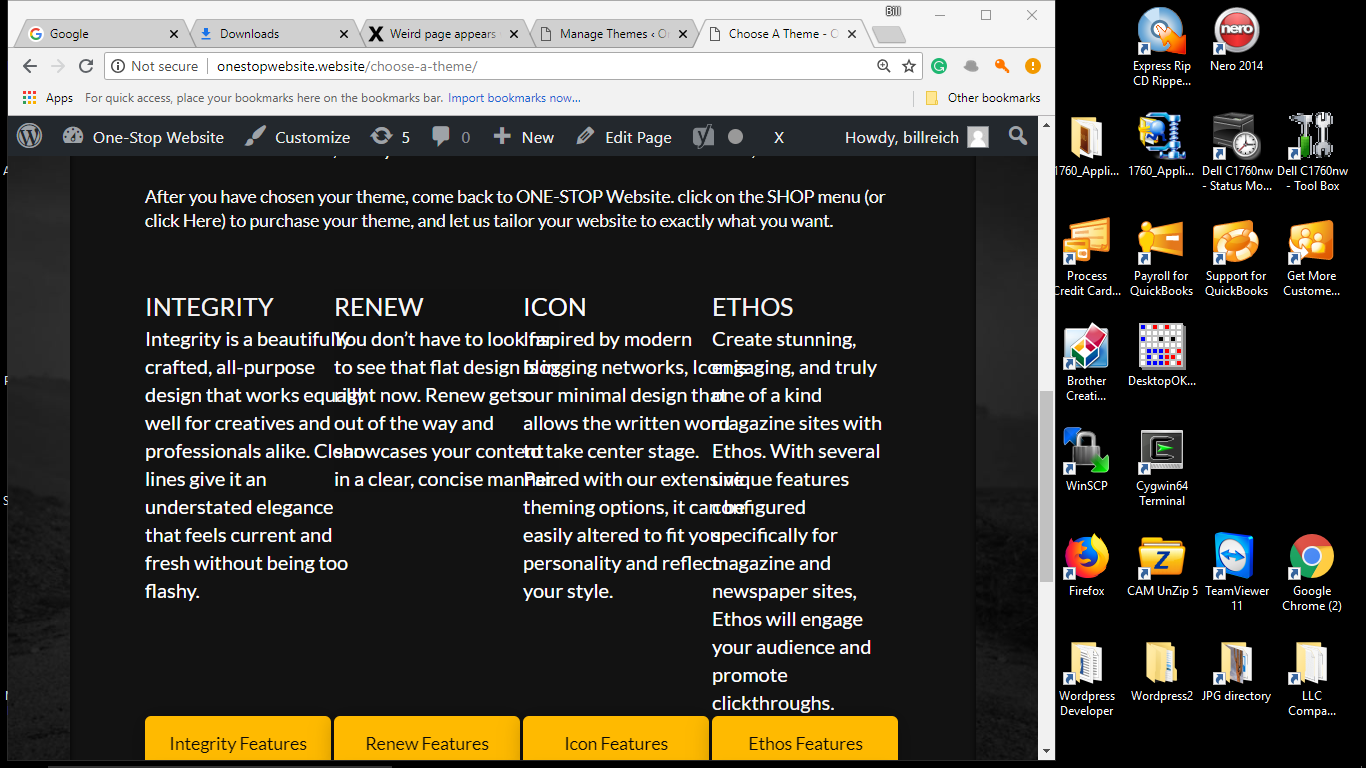
I have a page that has four columns. Each column has text. When I reduce the width of the page by dragging the right border of the page to the left, the text in the columns starts to flow together, as shown in the image, instead of flowing vertically.
Please go to onestopwebsite.website. From the menu: Plan Website–>Choose A Theme. Scroll down the “Choose A Theme” page until you see the five columns …Integrity, Renew, Icon, Ethos. Change the width of the page by dragging the right border in.
I will send you the id and password for the page in a secure note.
I would appreciate any help you can provide.
Thank you
Bill

