Responsive Headline

Hi,

on my site http://www.waschhalle-tuttlingen.de/oeffnungszeiten/ the Title “Öffnungszeiten” is wider than the screen on my iphone 7. I found the setting “responsive text” on the sidebar and I added one item with the selector “.h-responsive” but how do I add this to the headline?

Regards
Georg
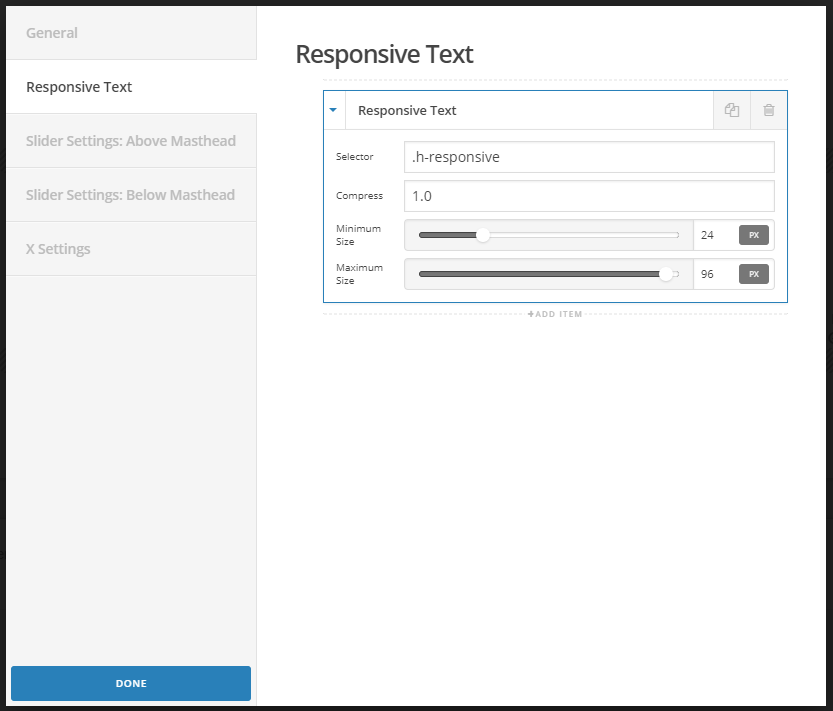
Hi There,

If you are using the classic Custom Headline, on the bottom of the element you will find the class box, add the class : h-responsive

If you are using the Headline Element, on the very top you wil find the Customize Tab.

There you will find the class box and you will add: h-responsive

Hope it helps

How is it meant? Is1.5 the factor on how much smaller the text is made or is 0.5 equal to a 50% smaller size?

Hi @Waschhalle

You’ll will set a compression level (any number from 0.1 on up), and a minimum and maximum font size if you so desire. Try resizing your browser window to see how the text behaves.

Hope it helps

This topic was automatically closed 10 days after the last reply. New replies are no longer allowed.