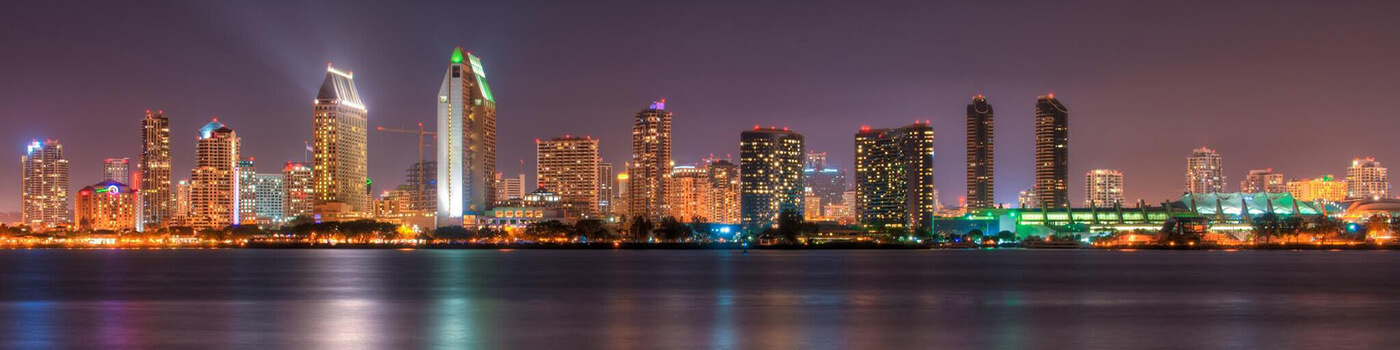
Replace rev slider with a static image

I currently have in my child functions.php the following added function to add the rev slider in between the main and the blog.

add_action(‘x_before_view_global__slider-below’, ‘slider_above_blog_page’);
function slider_above_blog_page() {
if ( is_home() ) {
echo do_shortcode(’[rev_slider alias=“blog-home”]’);
}
}

Works perfect and the original intent was 3 or 4 slides but that never materialized and client just wants the static image. I’ve tried to re-write the above for a static image but obviously failing, probably the x syntax. Here’s what I wrote;

add_action(‘x_before_view_global__x_image-below’, ‘x_image_above_blog_page’);
function x_image_above_blog_page() {
if ( is_home() ) {
echo do_shortcode(’[x_image type=“none” src=“https://sdrostra.com/wp-content/uploads/2017/07/Skyline1400x350.jpg” alt="" link=“false” href="#" title="" target="" info=“none” info_place=“top” info_trigger=“hover” info_content=""]’);
}
}

Bottom line, don’t need the weight of revslider, just the single responsive image as is and the code I wrote is not working. Thoughts? Thanks.

Hi There,

Please update your code to this:

add_action('x_before_view_global__index', 'x_image_above_blog_page');
function x_image_above_blog_page() {
if ( is_home() ) {
echo do_shortcode('[x_image type="none" src="https://sdrostra.com/wp-content/uploads/2017/07/Skyline1400x350.jpg" alt="" link="false" href="#" title="" target="" info="none" info_place="top" info_trigger="hover" info_content=""]');
}
}

Hope it helps :slight_smile:

This did not work. Instead it placed the image at the top of the “posts column”; it did not replace the slider.

I want to remove the slider and in it’s current place directly below the main nav, I want just the single image. NO MORE SLIDER. Please see the site with your code added. It is not in the correct location.

This did not work. Instead it placed the image at the top of the “posts column”; it did not replace the slider.

I want to remove the slider and in it’s current place directly below the main nav, I want just the single image. NO MORE SLIDER. Please see the site with your code added. It is not in the correct location.

@thai

As mentioned, the solution you provided failed to solve the issue, instead placing the image at the top of the blog stack instead of replacing the revslider (which is still there to show issue).

If I remove the revslider function, the image still remains in the current position at the top of the blog stack and not inside and at the top of the header where the revslider currently is.

If your suggested code worked, it would have placed the image directly below the revslider.

Hi There,

Please use this code instead:

add_action('x_before_view_global__slider-below', 'slider_above_blog_page');
function slider_above_blog_page() {
if ( is_home() ) { ?>

<img class="x-img custom-banner" src="https://static.pexels.com/photos/126407/pexels-photo-126407.jpeg" title="cat" alt="cat" />

<?php }
}

Replace the cat with your own image.

If the slider still outputs after this, then that means there is another function that do that, you might have added that custom function twice, please check that.

And also you have a caching plugin, please clear that before you preview the page to make sure the changes are applied immediately.

Hope it helps,
Cheers!

Okay, we’re getting close, but the image is not responsive like the slider was. If you take the browser wider than the defined width, the image stops while the site continues. The right side of the image should continue to stretch to the right.

Hi There,

Please add this on your custom CSS.

.custom-banner {
	width: 100% !important;
}

If this does not work, please keep your image banner so we can take a closer look.

Cheers!

This topic was automatically closed 10 days after the last reply. New replies are no longer allowed.